
Posted on
Updated on
October 14, 2026
Users can search by 3 different areas within Agreements: All Agreements/Proposals, Awards, and Deliverables
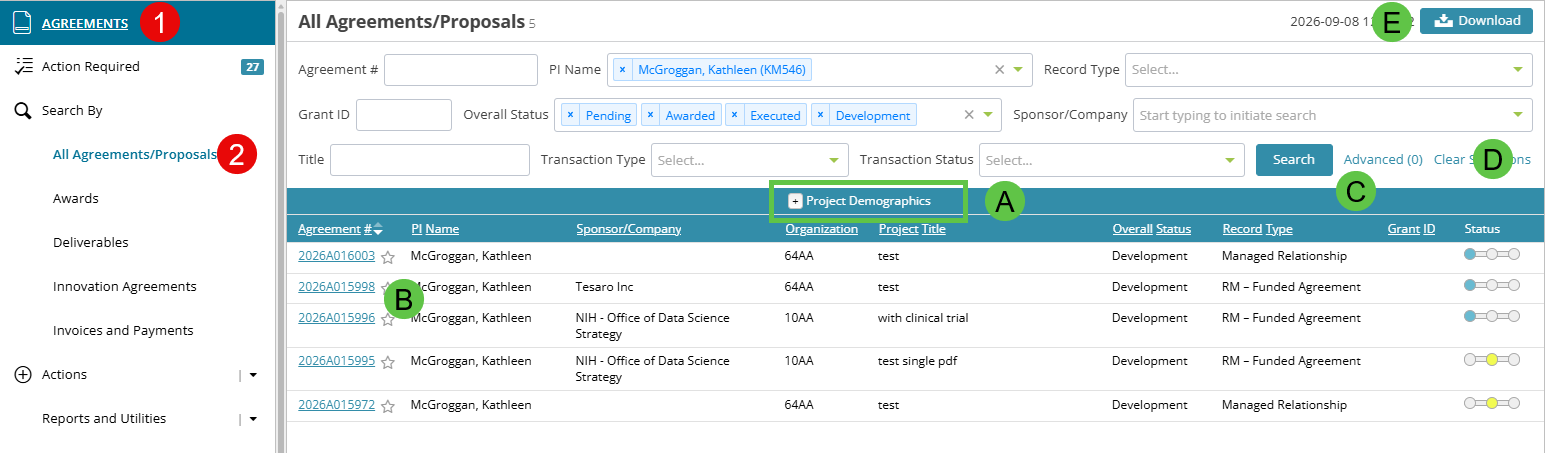
- Click Agreements
- The default search option select is All Agreements/Proposals. This search will return all agreements/proposals, whether the record is funded or not.
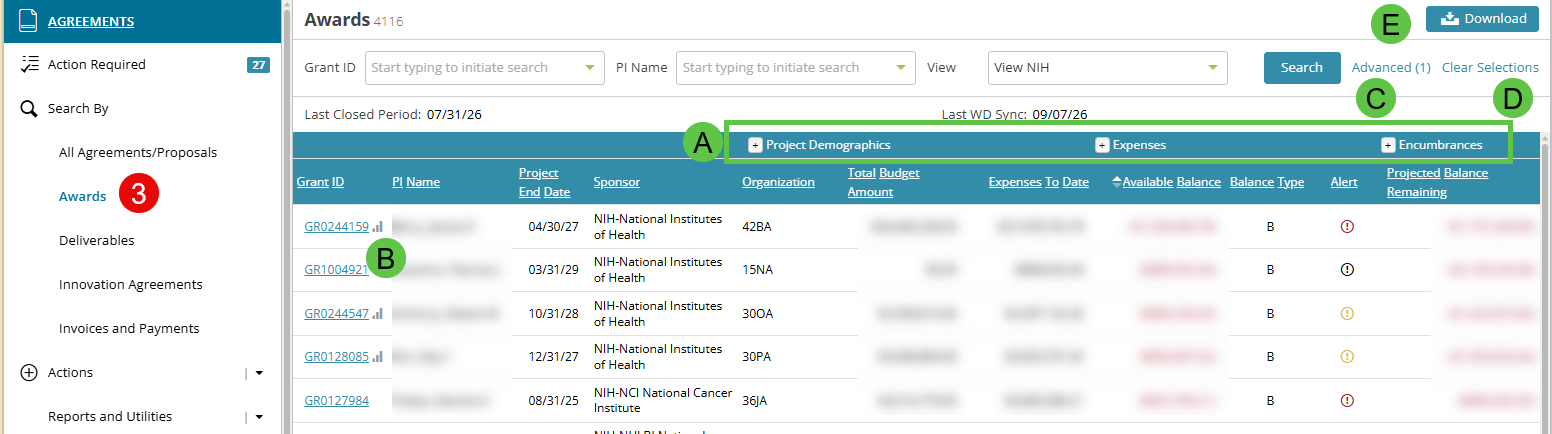
- Click Awards under Search By. This search will return only awarded records.
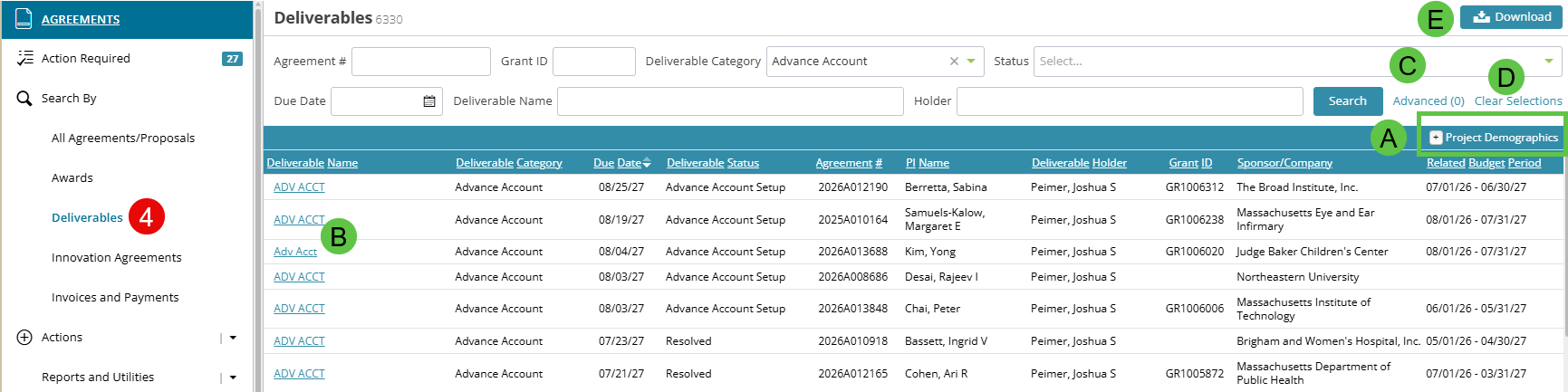
- Click Deliverables under Search By. Deliverables are created by the Research Management, CTO and Innovation offices to track the tasks against a record throughout the lifecycle. This includes amendments, invoices, financial reports, etc. that have been completed, are in progress or pending.
- When you click the Search button, the result set returned on the grid is based on the search criteria chosen limited by your access rights.
On all of the pages users can:
- Click to expand the results and see additional details.
- Click the link to open the returned record.
- An advanced search can also be conducted on any of the search pages by clicking the 'Advanced' link. This provides users with additional options to refine the results and apply various filters.
- To perform a new search, click on 'Clear Selections' link which resets the page.
- Results under 10K can be downloaded to excel for further analysis.
Additional Guides