
Posted on
Updated on
September 23, 2026
Introduction
Provides access for a user to view, edit, or certify space for a department or site in the Insight Space module. This access can only be granted by the Department Space Keygiver. If you are not a Department Space Keygiver, you will not be able to complete this function.
Steps
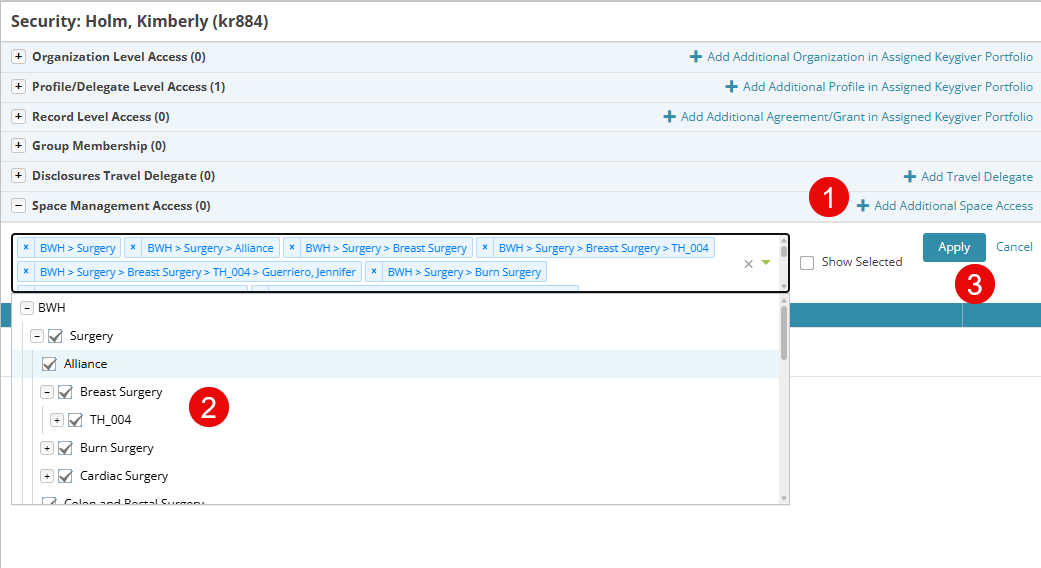
- Click “Add Additional Space Access”
- Select the organizations or PI sites.
- Click Apply.
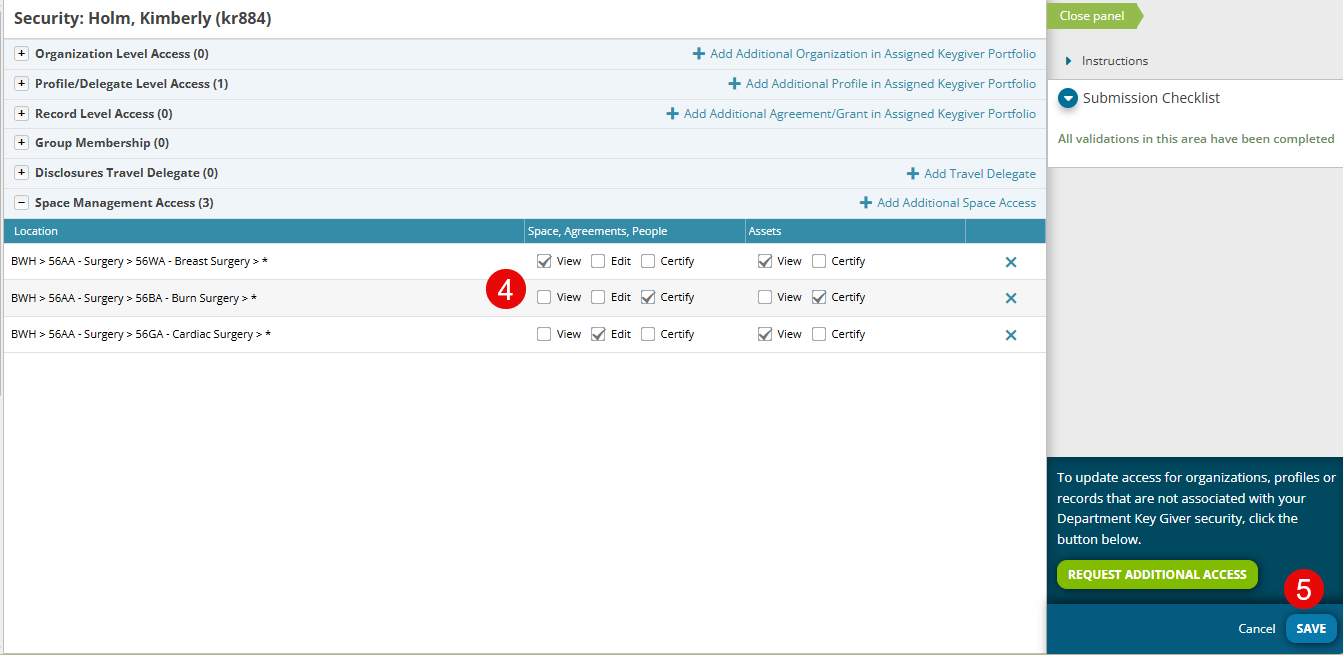
- Select the appropriate attributes for each location added. (4)
- View: view the location and it’s related space, agreements, people, and assets.
- Edit: Edit People in a PI-Site and view all related information
- Certify: During the annual space certification process, the user will be asked to certify the PI-Site, can request agreement modifications, and can edit people in both actual conditions and the certification process.
Additional Guides
- Using Research Contacts
- Requesting Security
- Add/Update Organization Level Access
- Add/Update Agreement/Grant Level Access