Posted on
Updated on
September 23, 2026
A continuing review is needed to reassess and obtain re-approval of ongoing research. For most research, continuing review is required at least annually. The steps below show how to create and submit a Continuing review or a Continuing Review/Amendment transaction in the Insight Humans module.
| TIP: Users are able to make protocol updates (e.g. staff, attachments, or other forms) at this time. Updates to forms, attachments, PI or Site PI can be submitted along with the continuing review transaction and it will be updated to a continuing review/Amendment, and updates to any other staff will create an amendment (AME) transaction so it can be reviewed and approved separately. |
STEPS
- Click Humans
- Search for and open an active protocol from the landing page
- Users are allowed to submit a Continuing Review or a combined Continuing Review and protocol amendments as part of the transaction.
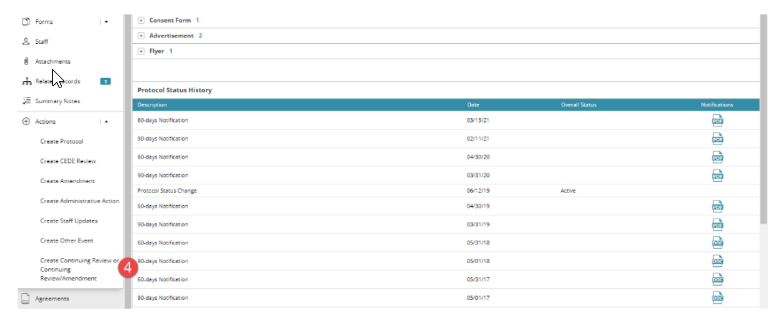
- Select Create Continuing Review or Continuing Review/Amendment under the Actions menu on the left navigation panel. This transaction unlocks all areas of the protocol (Forms, staff and attachments)
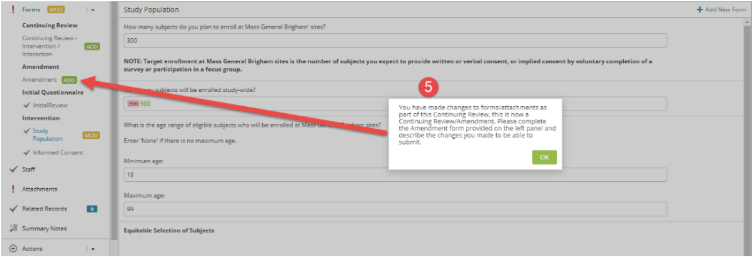
- If users make changes that are considered an Amendment, the Amendment form will be triggered and is required to be completed to submit the transaction.
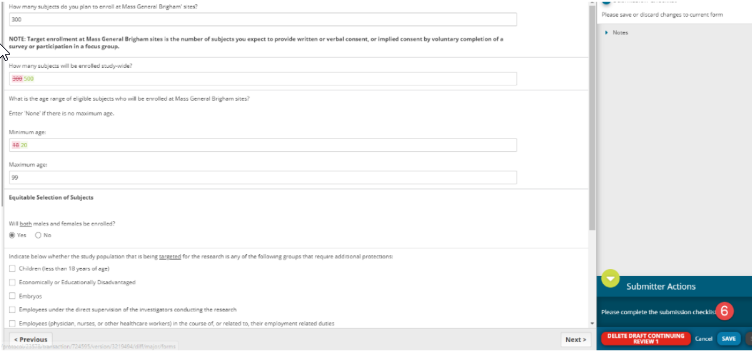
- Complete the required fields within the Continuing Review form and Amendment form, if applicable. When submission checklist says ‘All validations in this area have been completed”, click save in the bottom of the right panel. You may also save your progress at any point.
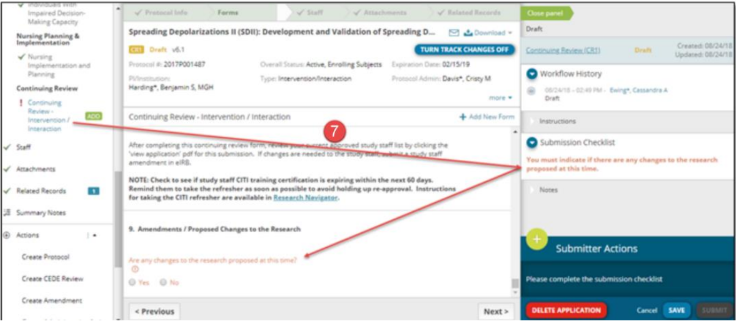
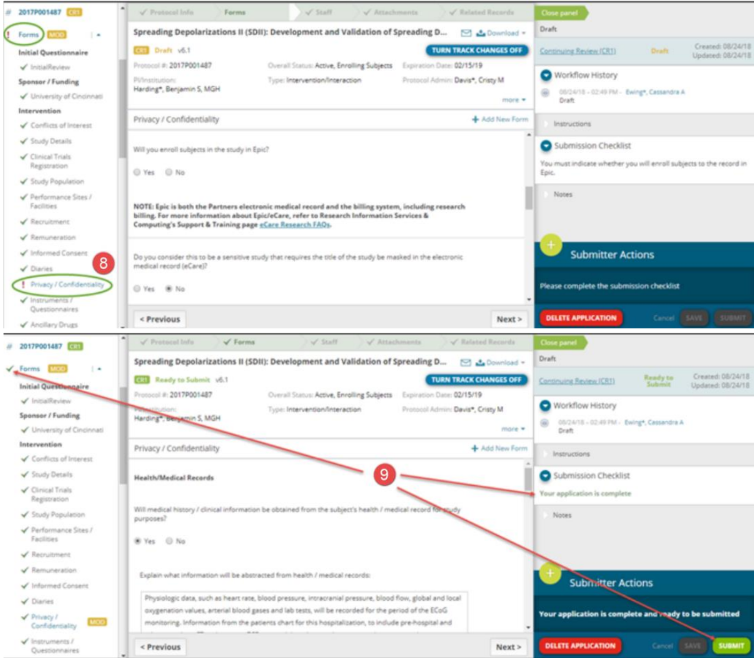
- If you missed a required field, there will be a red ! mark next to the name of the form in the left panel, and the submission checklist will indicate which field needs to be completed.
- After completing the continuing review form, you can also make necessary changes to any of the other forms, including staff and attachments. Missing required items here will also show a red ! mark next to them.
- When all required items have been completed and saved, your application is ready to be submitted. This will be noted by the submission checklist in the right panel, green checklists next to all forms in the left panel, and a green ‘Submit’ button in the bottom right.
- If changes are made to staff this is considered an amendment and will trigger a separate Study Staff amendment (AME) transaction to be reviewed and approved independently of the continuing review. Changes to the protocol forms, attachments, PI or Site PI are considered protocol amendments (AME) and will stay with the Continuing Review transaction and be processed as a Continuing Review/Amendment transaction.
- The transaction ID for a Continuing Review = CR# and for a Continuing Review/Amendment = CR#/AME#