Posted on
Updated on
September 23, 2026
The Cede Review transaction has been added to Insight Humans to request external IRB review for a study. This transaction should be used if you are requesting a review of your protocol by an institution or organization other than the Mass General Brigham IRB.
|
Note: The CEDE Review process is broken up into 2 transactions: CEDE Review Request and CEDE Submission. Both trigger workflow. When CEDE Review Request is approved the Initial Review gating form and additional forms will need to be completed and submitted to the CEDE Submission. |
STEPS
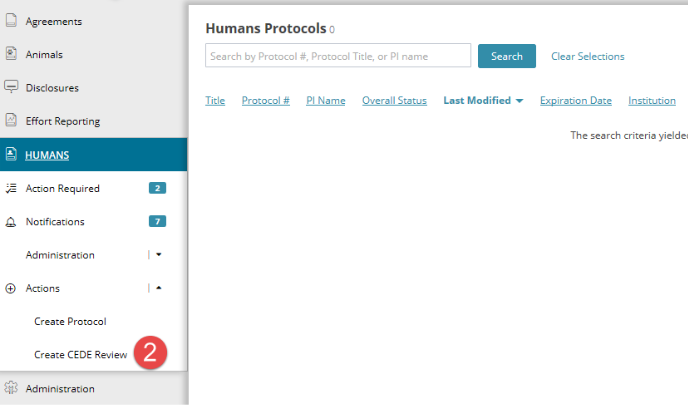
- Click Humans
- Select Create CEDE Review under the Actions menu on the left navigation panel.
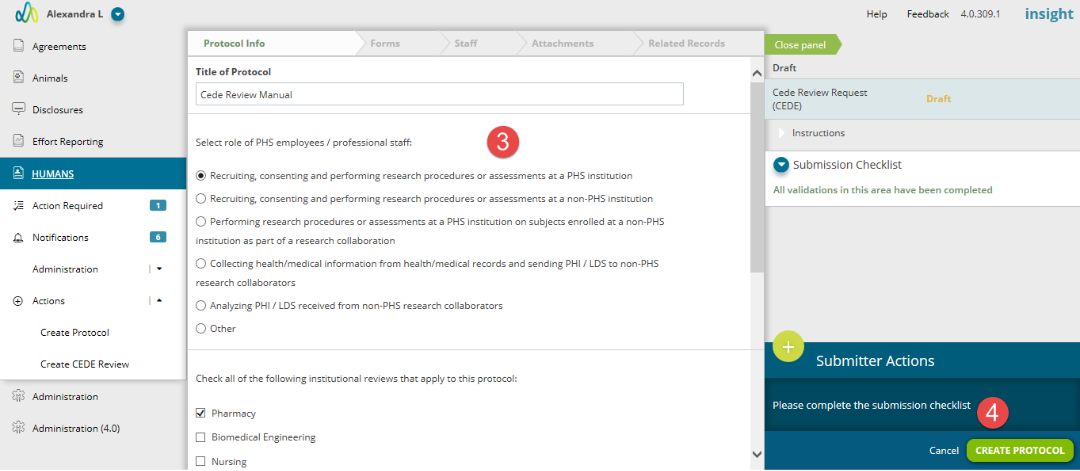
- Complete the required fields within the Cede Review request form.
- When submission checklist says ‘All validations in this area have been completed”, click Create Protocol button in the bottom of the right panel.
- After completing the Cede Review form, navigate to Staff to add the Principal Investigator and additional Study and Non-Study Staff.
- For more information on the Staff page, click here.
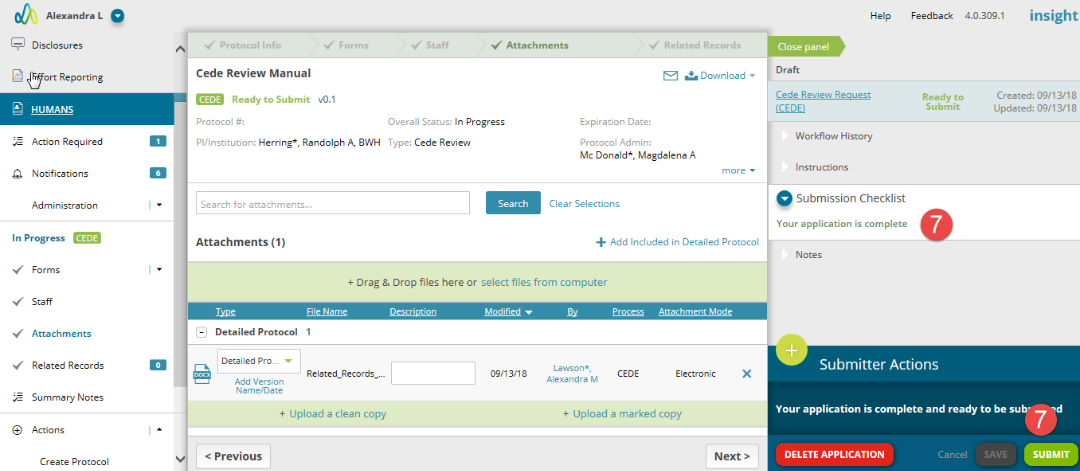
- The Detailed Protocol will need to be attached to the CEDE protocol to complete the submission.
- For more information on the Attachments page, click here.
- Once the CEDE Review request is completed, it can be submitted to CEDE Review Request workflow.
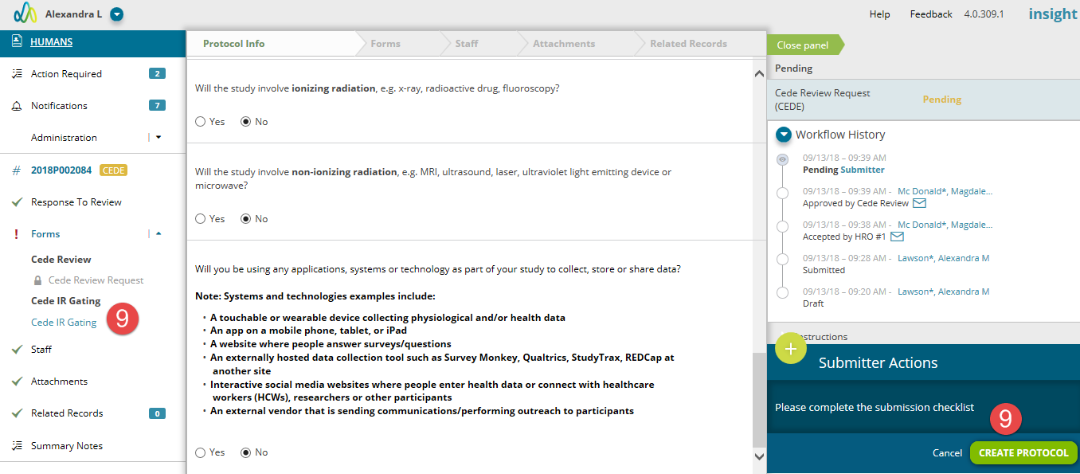
- Once the CEDE Review Request workflow is approved, the submitter, Principal Investigator and any staff marked as Contact and with manage access will receive an email and a required action to complete the CEDE Submission and submit for full review.
- Complete the Cede IR Gating form and click Create Protocol.
- Form pages based on your gating form answers will be presented for completion. Additional attachments may also be required once the forms are completed.
- For more information on adding or removing forms, click here.
- When all required fields and forms are completed, click Submit to initiate workflow.