
Posted on
Updated on
September 18, 2026
Protocol Board Members need hospital level access before or after being added to a board. To address this security need, each Board Member must be set as a board member. This allows the Central Keygivers to assign hospital level security for the users as department users are not typically assigned hospital level access. This is a critical first step for new Board Members.
Steps
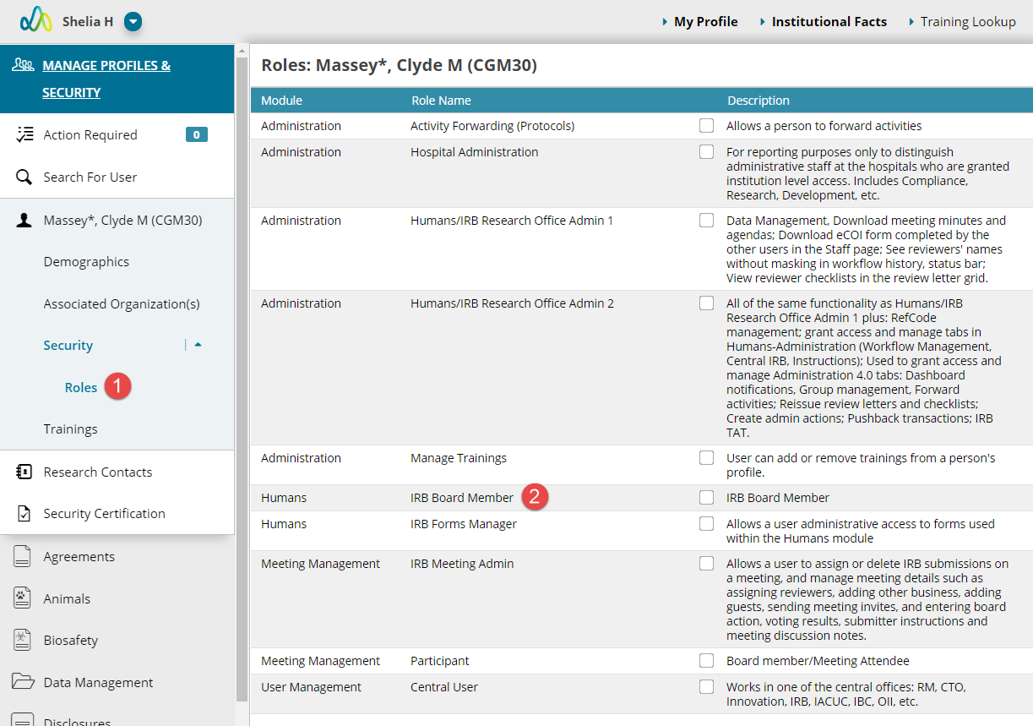
- Expand Security and select the Roles page.
- Select the corresponding board role (example “IRB Board Member”)
- Click Save.
- Select any additional roles needed (like Forward Activities, Participant, etc.).
- Navigate to the Security page to add the necessary hospital level access
Additional Guides