Posted on
Updated on
September 18, 2026
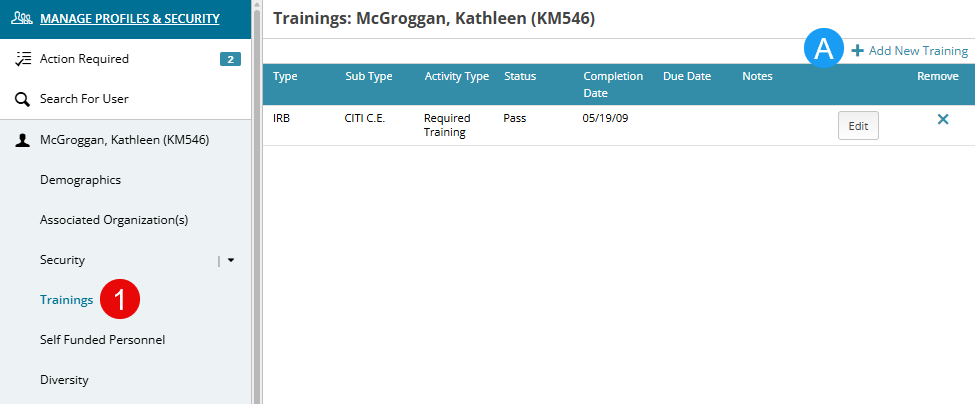
The option to edit the trainings page for a profile is determined by a designated security role. The majority of trainings are added to Insight via a feed and the responsibility to update this page manually typically falls within a central office like IRB, IACUC or Research Management.
Steps
- Navigate to the Trainings page under a user’s profile.
- To Add New:
- Click “Add New Training”.
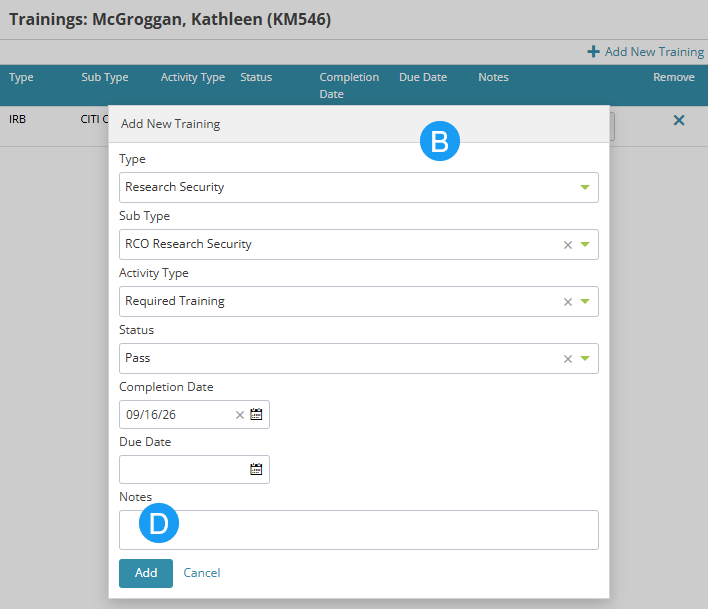
- Complete the information in the popup.
- Type will drive Sub Type and Activity Type options.
- Click the Add button when complete.
- To Update:
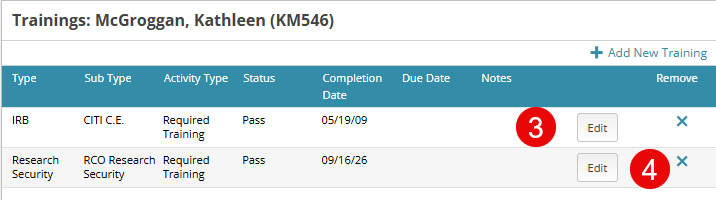
- Click the Edit button for any row.
- Update the necessary information and click the Save button.
- To Remove:
- Click the X on any training row to remove.