Posted on
Updated on
September 18, 2026
Introduction
The Create New Agreement/Proposal function is used to create a new agreement or proposal to submit to the appropriate office for review. Each record type has its own form set, list of required fields per page and workflow.
STEPS
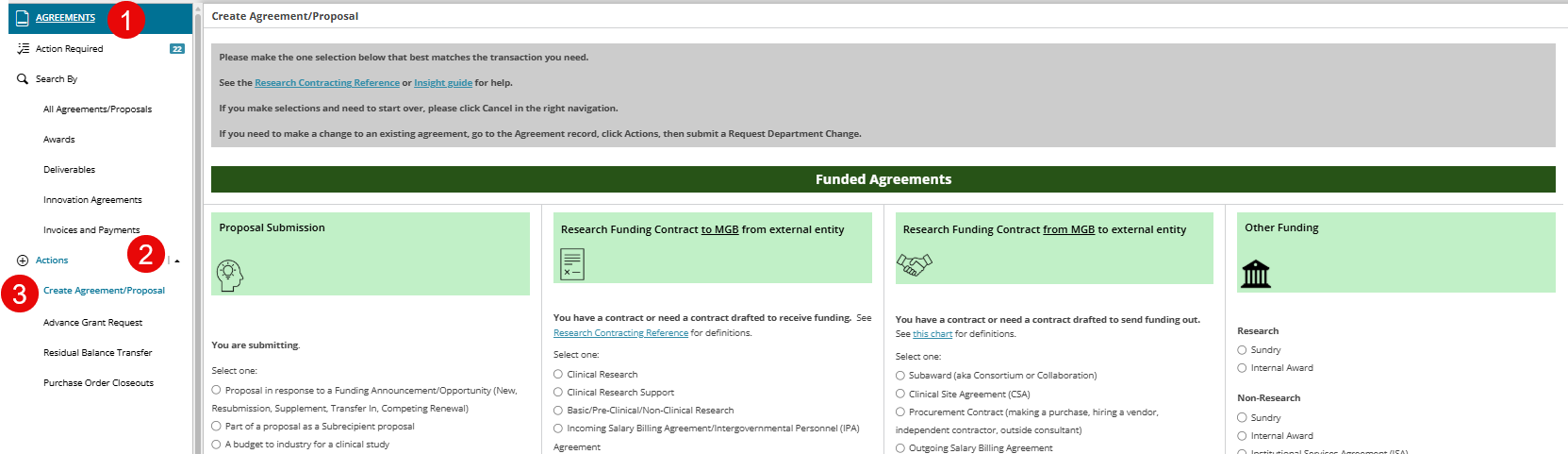
- Click Agreements
- Expand Actions menu
- From the actions menu in the left select Create New Agreement/Proposal
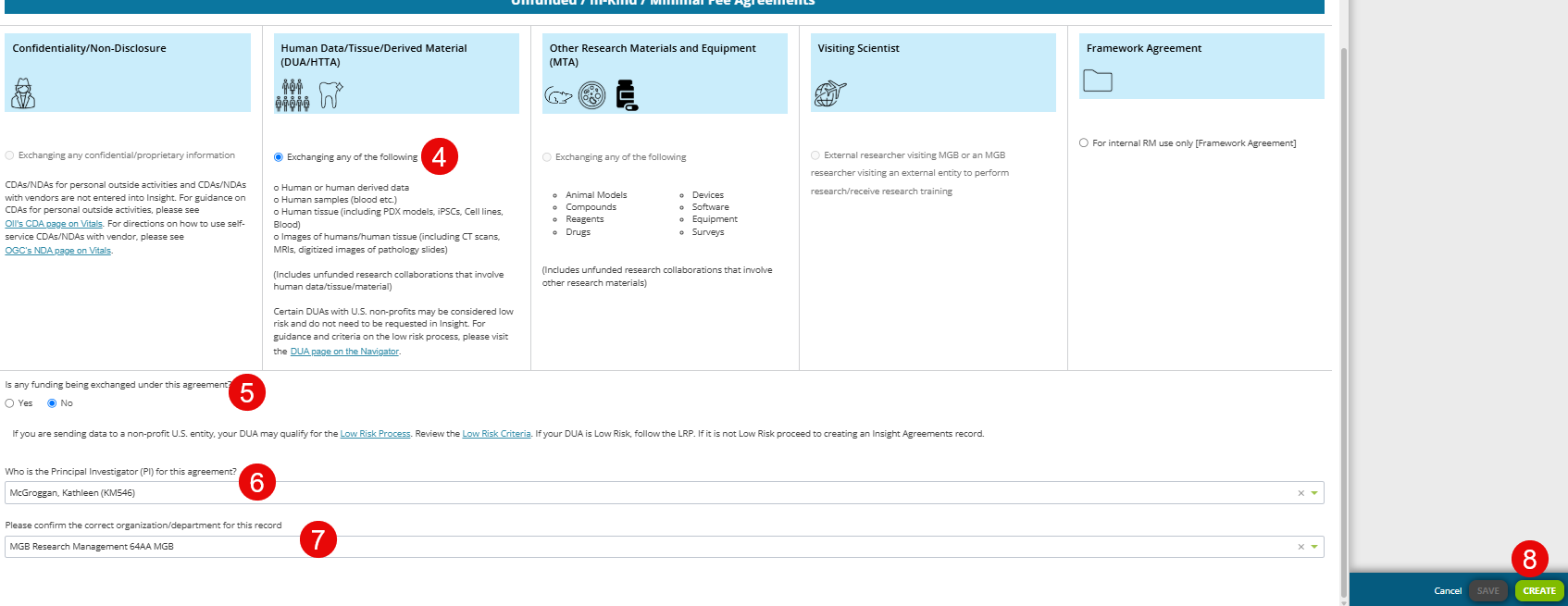
- Select the radio button option for the record type you need to create
- Answer any secondary questions.
- Select the Principal Investigator (PI) by entering the first or last name or the Username/Login.
- Confirm or update the organization/department for the record
- Click the Create button in the right panel.
|
Important Note: Once an agreement is created, the type cannot be changed so please make the selection on the page best matches the transaction you need. |