Posted on
Updated on
September 18, 2026
Introduction
The Subcontractor Details page will capture information regarding each subcontractor on a record including PI and address. Information captured on this page will be used later in the generation of standard form letters.
Steps
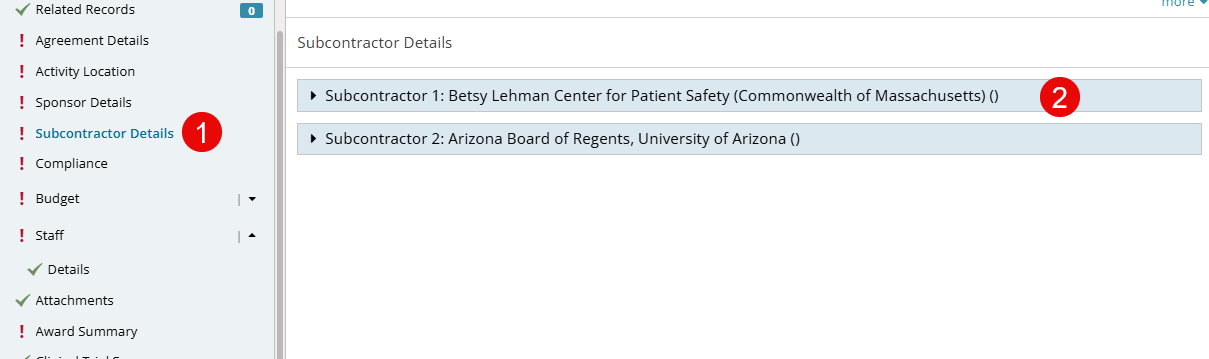
- After adding a subcontractor to the Agreements Details page, the Subcontractor Details page will appear in the left navigation. Click it to go to the page.
- Each subcontractor will be presented with an expand/collapse option so users can complete the specific information per sub.
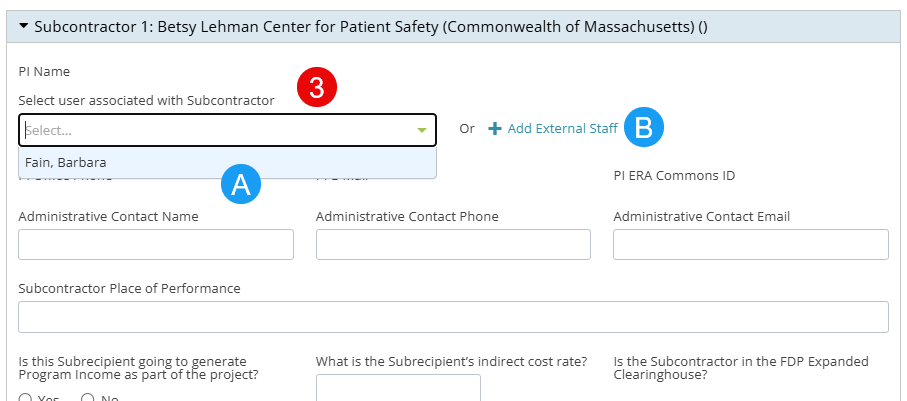
- To add the PI:
- If the subcontractor has existing PIs already associated to their profile, you can select the PI from the dropdown.
OR
-
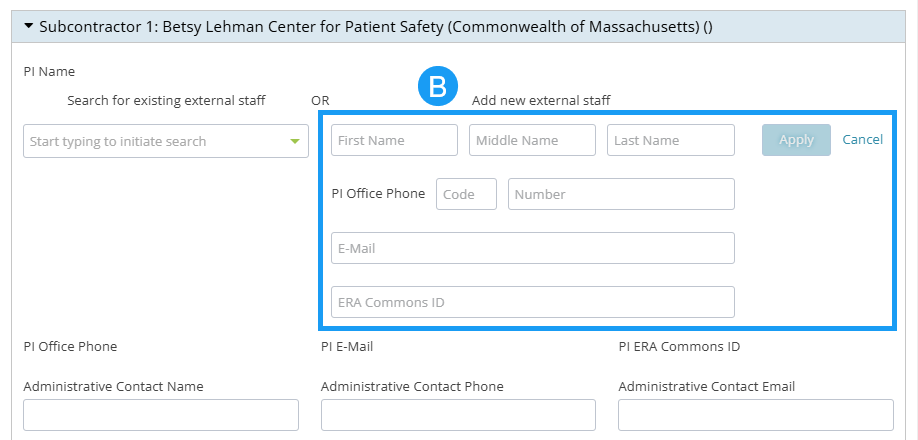
- If the subcontractor does not have an existing PI, click Add External Staff and enter First Name, Middle Name (optional) and Last Name. Add Office Phone, Email and ERA Commons ID. Click the Apply button.
- Complete all remaining required fields for each subcontractor and click the Save button.
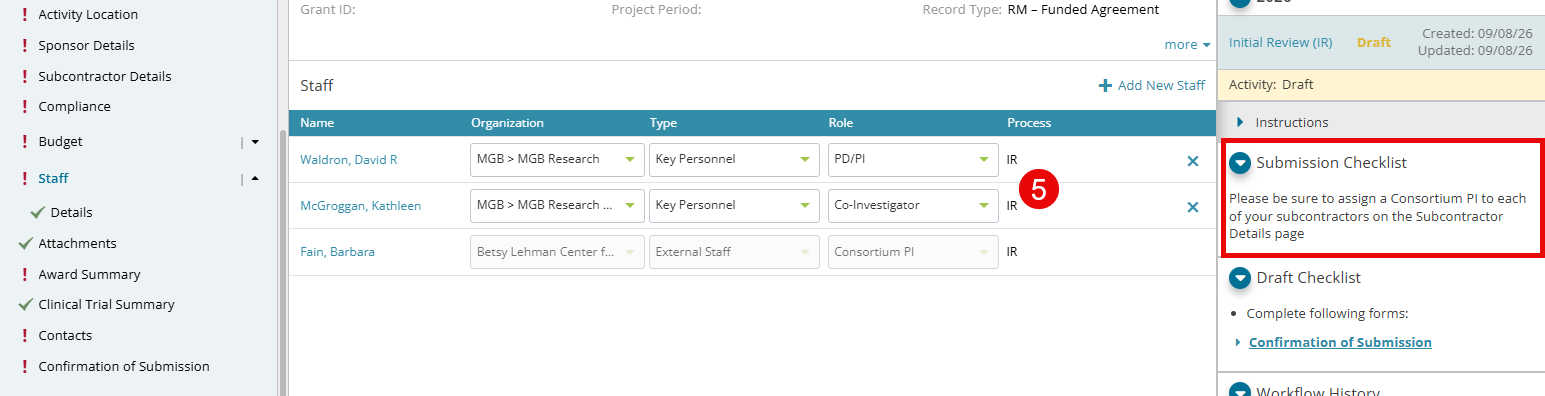
- Once a PI is assigned to the subcontractor instance on this page, they will be listed on the Staff page with the Consortium PI role. The Staff page will continue to indicate that PIs need to be assigned for all subcontractors, but the action must take place on the Subcontractor Details page.