
Posted on
Updated on
September 18, 2026
Introduction
Contacts are maintained for each team by organization. This process will allow you to replace a large set of assignments by person to another team member. This feature is currently not available for departments.
Steps
1. Go to Manage Profiles & Security module.
2. Click on Research Contacts.
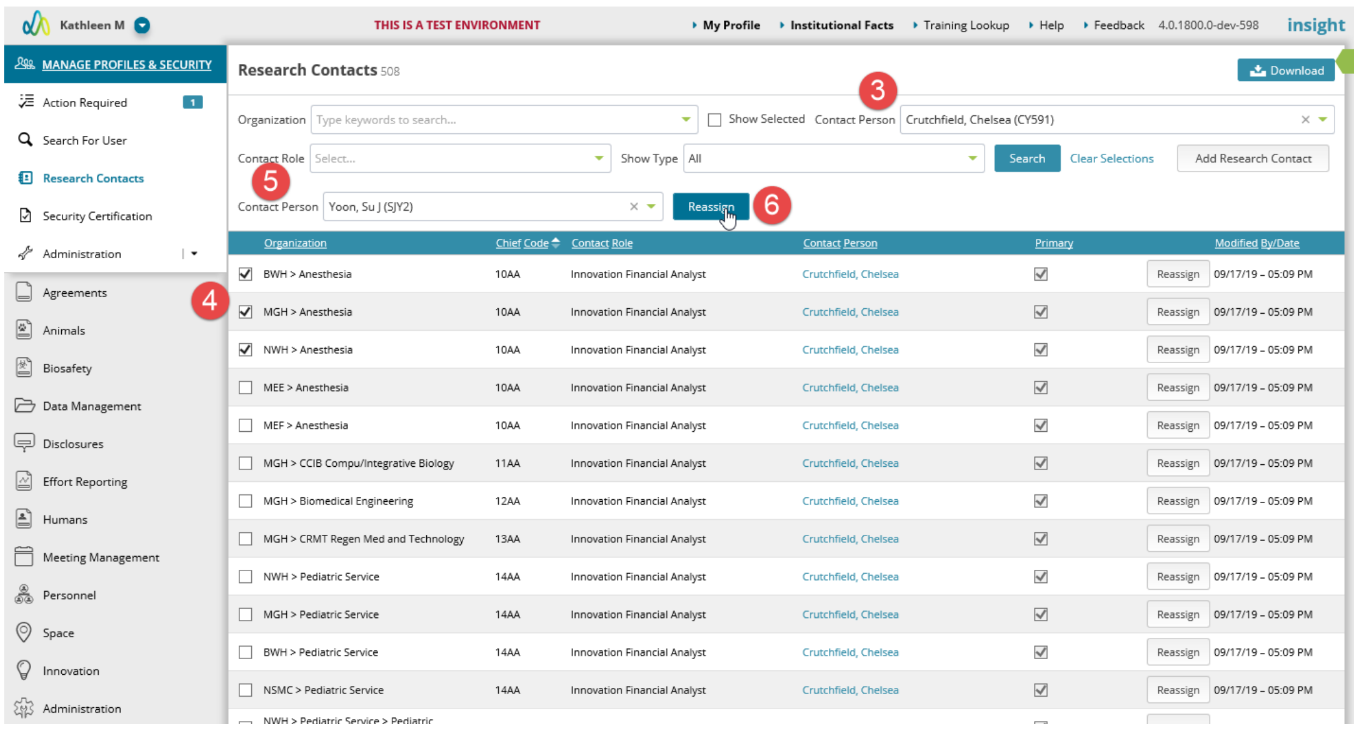
3. Search on the contact you would like to replace.
4. For each applicable role and organization combination for that contact, select the checkbox on the left.
5. Select the new contact from the Contact Role dropdown.
6. Click Reassign.
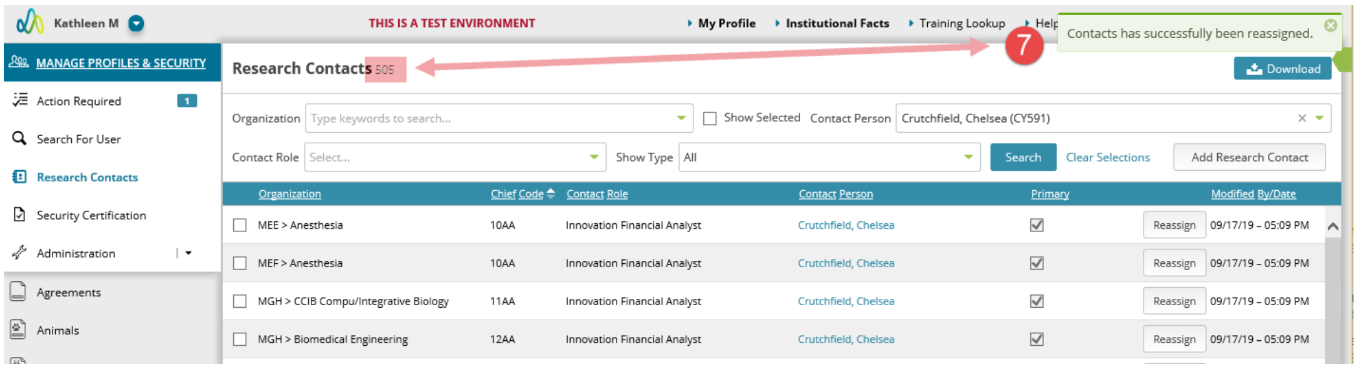
7. The page will refresh to now show only those remaining assignments for the originally selected contacted.
Additional Guides