Posted on
Updated on
September 18, 2026
Introduction
This guide walks through managing staff on an Agreement record, from adding personnel to entering the details required before submission. Some pages are only presented on certain record types, so not every step will apply to every agreement.
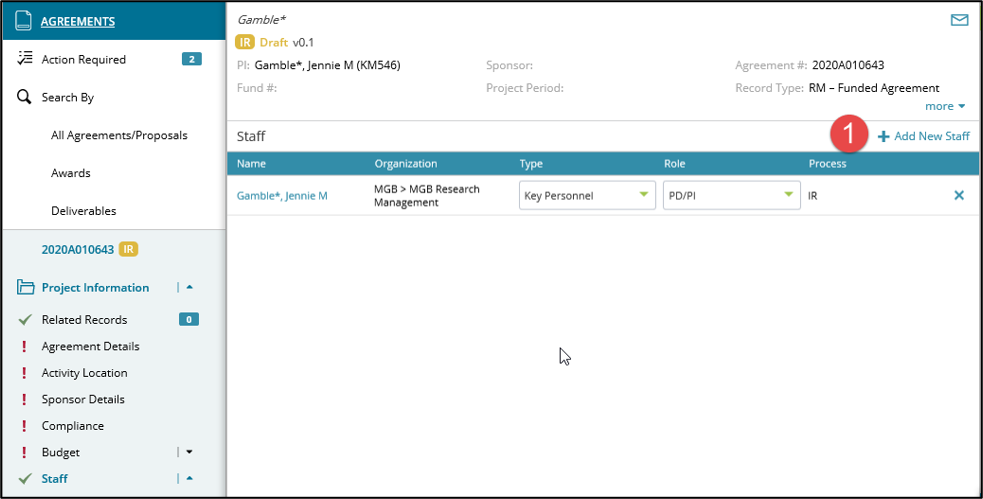
To add new MGB staff to an agreement
- Click the ‘Add New Staff’ link.
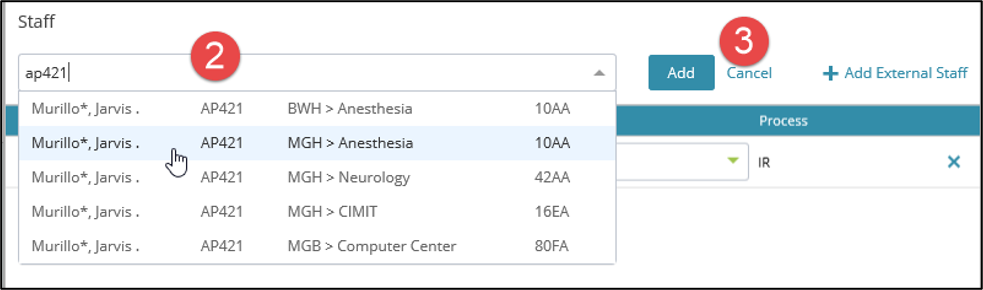
- Search for an individual by last name or Mass General Brigham login.
- When multiple options for the same individual are presented based on multiple assigned organizations be sure to select the correct one for your Agreement.
- Click ‘Add’ after selecting staff.
To add new unnamed or external staff to an agreement
Users often need to add staff who are not yet hired or are consulting on the agreement.
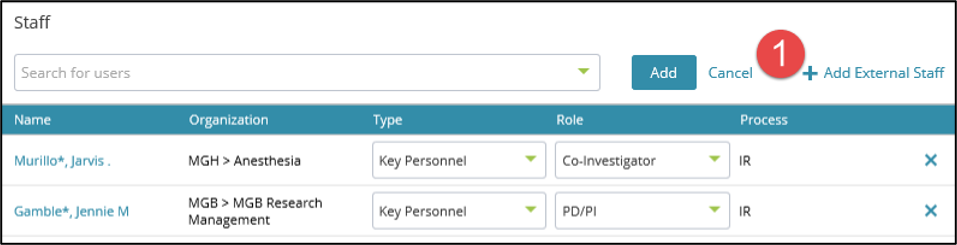
- After clicking “Add New Staff”, users have the option of clicking “Add External Staff”
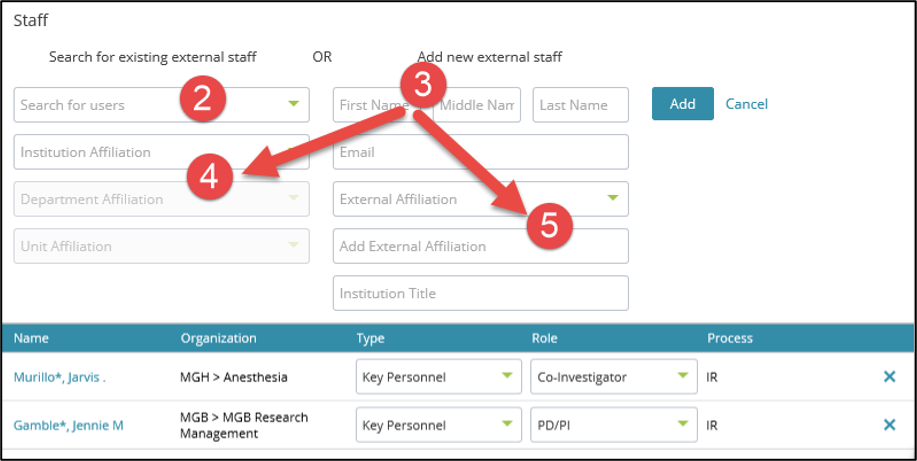
- If the record for external staff already exists, user can search by last name and use the additional filters below.
- If the external staff record does not already exist, user can add by First Name and Last Name (3) and associate the new profile to a Mass General Brigham institution/department (4) or external affiliation (5). Once an individual is added to the external staff list it will be available to use in future records.