Posted on
Updated on
September 18, 2026
Introduction
The Withdraw option available on the right panel provides users with the ability to close an Agreement/Proposal request before it is submitted. The Withdraw option is also available after a request has been declined or sent back to the submitter for modifications during the review process.
Steps
- Open the created Agreement/Proposal request from Agreements landing page
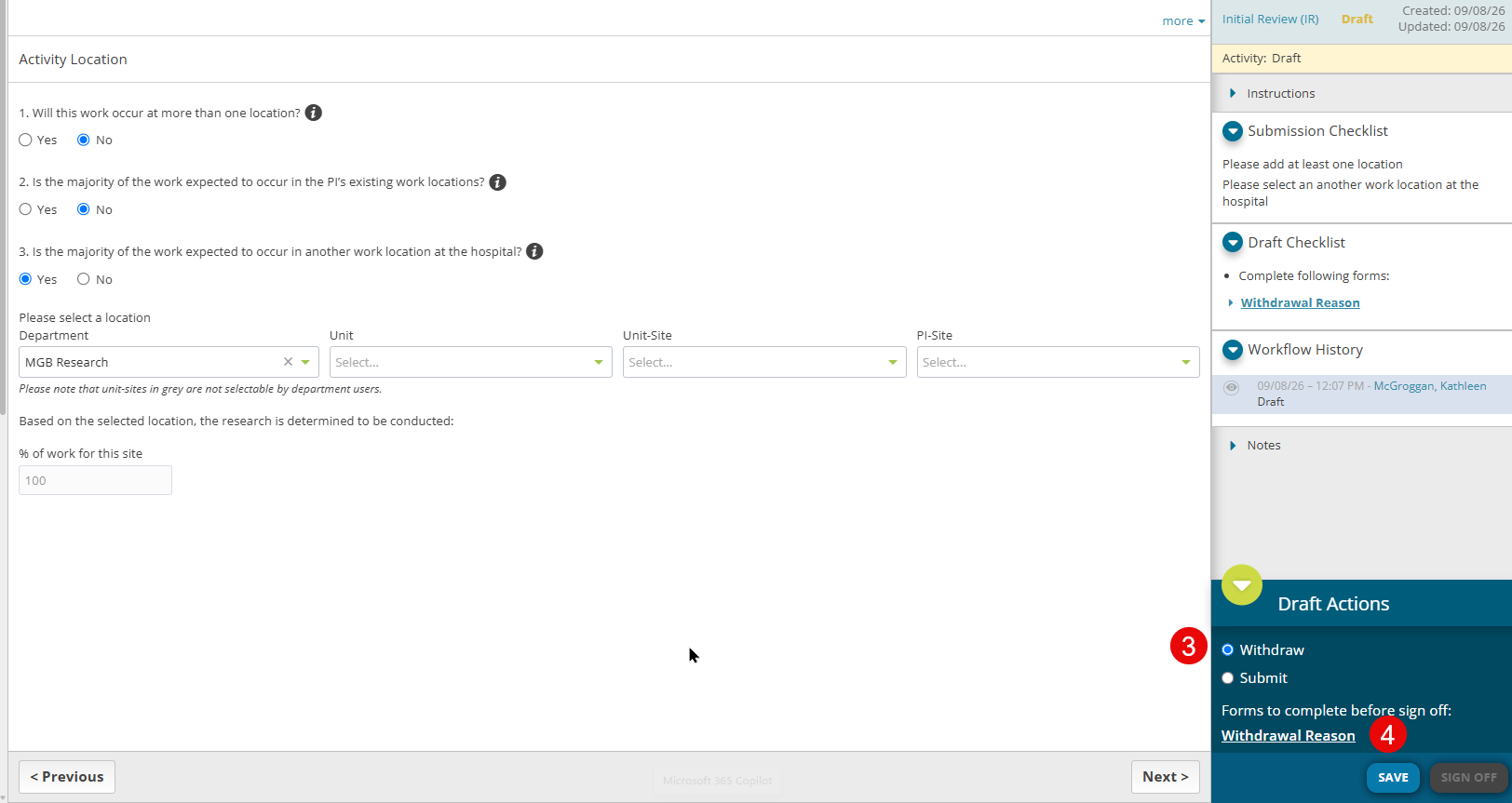
- Observe the Withdraw option in the right panel in the Actions section
- Select the Withdraw radio button
- Click the withdrawal form to provide information on why the record is being withdrawn.
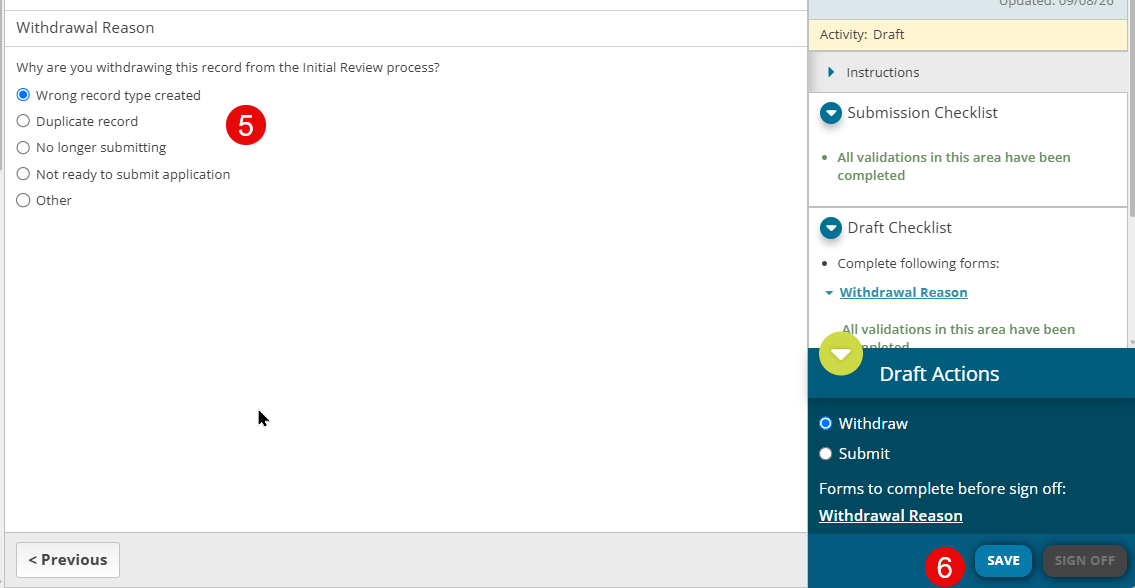
- Select the reason the record is being withdrawn. If selecting Other, please enter additional information.
- Click Save
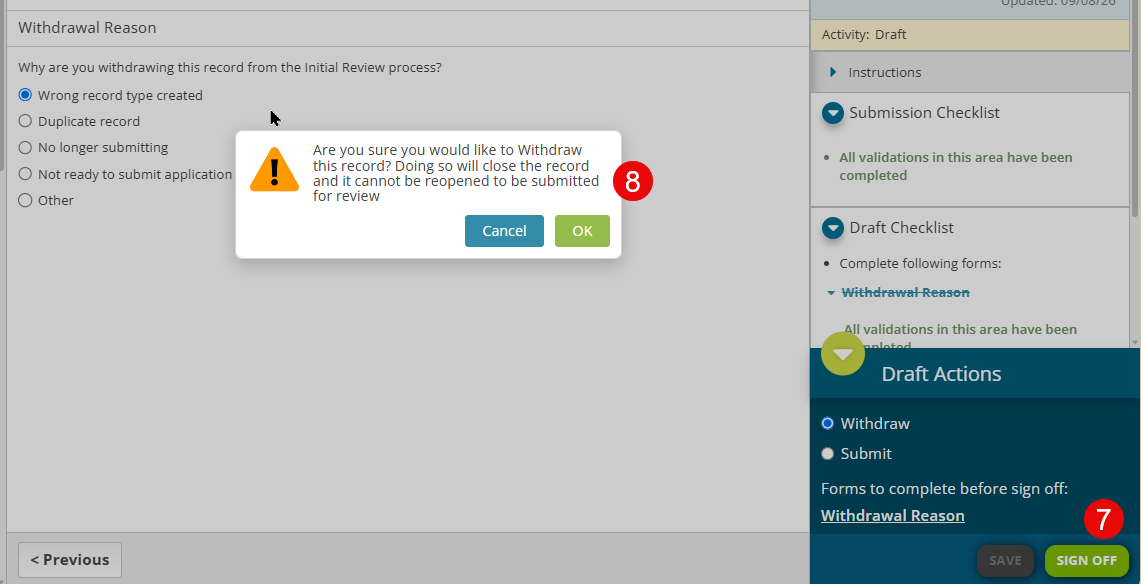
- Click Sign Off
- A pop-up confirmation message is displayed. Select OK to proceed with the withdrawal or select Cancel if you don't want to withdraw the record anymore.
- Agreement status will updated to Closed - Withdrawn but will not be deleted from the system.
| Note: When a record is withdrawn during the Initial Review transaction, the record will be closed and cannot be reopened again to be submitted for review. Users should clone it if needing to resubmit it for another deadline. |