September 17, 2026
Introduction
Updating the location on an agreement when you realize it is wrong is important. The selected Space drives the agreement onsite/offsite designation and potentially impacts the rate agreement. When the space is accurate on an agreement, the department can better understand what space they have and complete the annual certification.
Steps
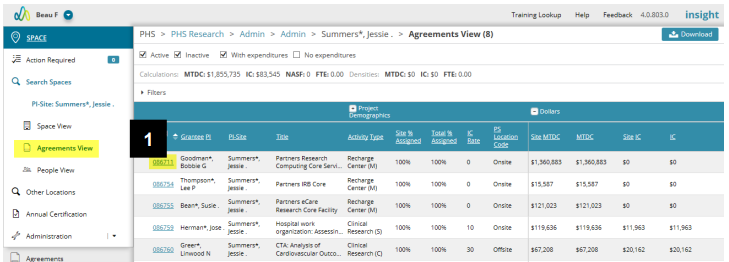
1. Click the related Fund number to open the Agreement.
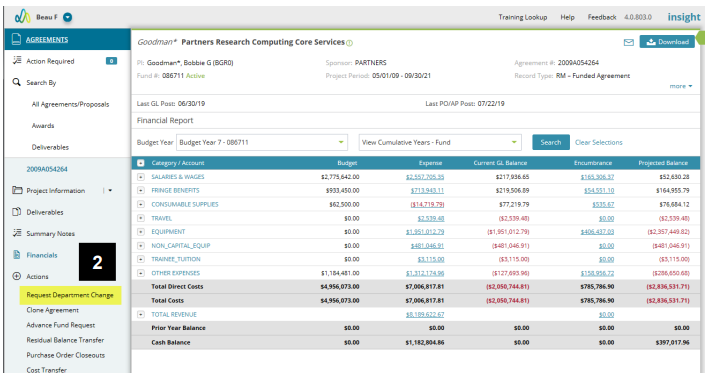
2. From the Actions menu, select Request Department Change (RDC). This will allow you to edit information within the Agreement. For more on the RDC action, please click here.
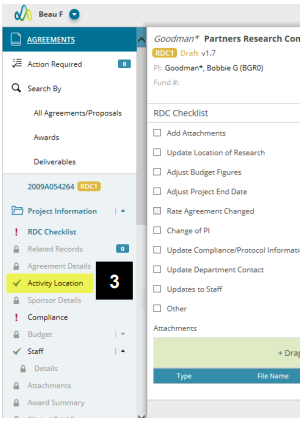
3. Once you have created the RDC, click on the Activity Location page.
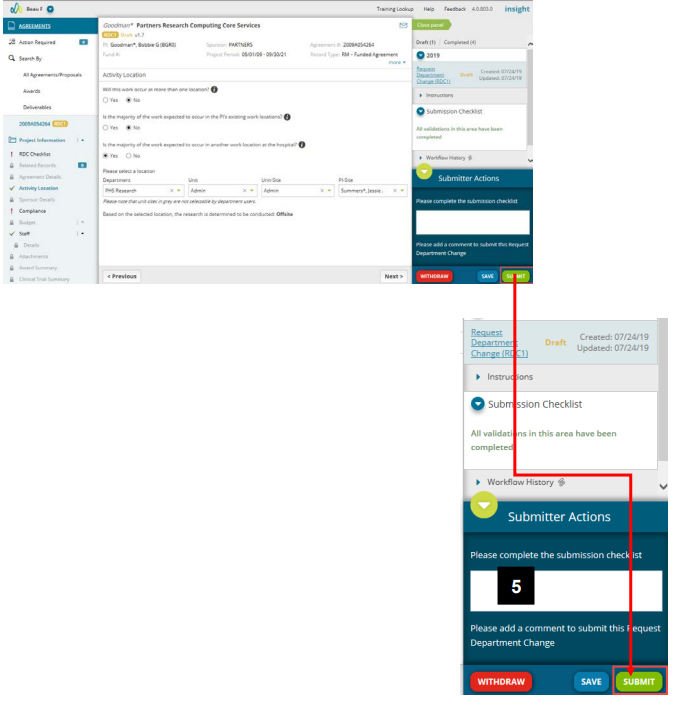
4. Select the updated location. Multiple locations and specific allocations for each location can be designated.
5. Once you have updated your location, add a comment and submit the RDC to workflow for review.
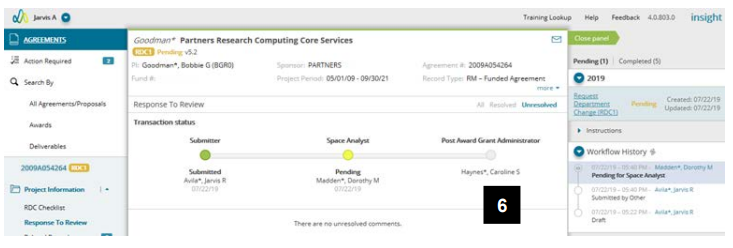
6. The RDC will go through review - first to the Space Analyst and then to the contact in central (Post Award Grant Administrator, Innovation Licensing Manager or CTO Financial Analyst). If further changes are required you will receive an email and action item. Once the RDC is approved you will receive a confirmation email and the allocated space will be updated in the Agreement and Space module.
Illustrative Screenshots