Posted on
Updated on
September 17, 2026
Introduction
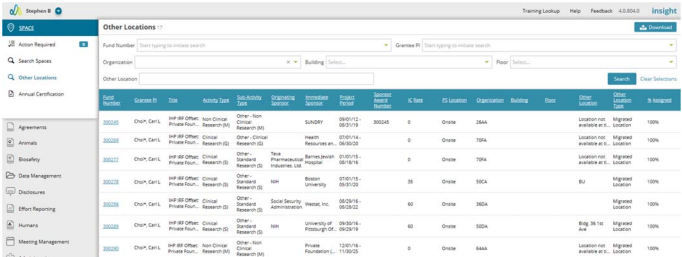
The Other Locations page provides a view of all awarded agreements that are not assigned a proper PI Site. The returned list of agreements is based on your security within the Agreement module.
Steps
1. Within the Space module, click Other Locations.
2. Results may be returned automatically, or you may perform a search by Fund Number, Grantee PI, Building and Floor and Other Location.
3. Click on any Fund number to open the agreement record. Adjustments for the location can be made within the Agreement by creating a Request Department Change (RDC) action. Click here for more information on the RDC action.