September 18, 2026
Introduction
Annually, to support the negotiation of our federally negotiated F&A rates, each institution’s Research Space Management group (RSMG) verifies and provides information on all space used for research.
This guide is to help users navigate the Space Modules functionality to complete this activity specifically for requesting a modification to an Agreements allocation. Allocations for Agreements are controlled centrally by the RSMG teams to ensure data accuracy.
STEPS
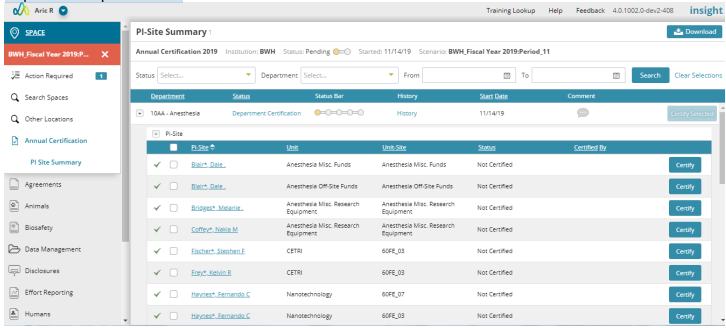
1. User is located on the Certification landing page with PI-Site view expanded
2. Select the PI-Site name, a new window will appear, and the user is located on the Space view for the PI-Site
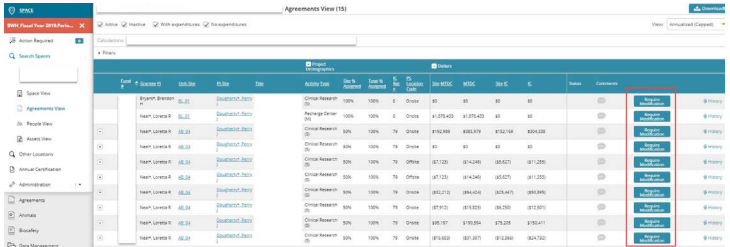
3. Select Agreements view in the left navigation
a. Full list of Agreement allocations for PI-Site appears
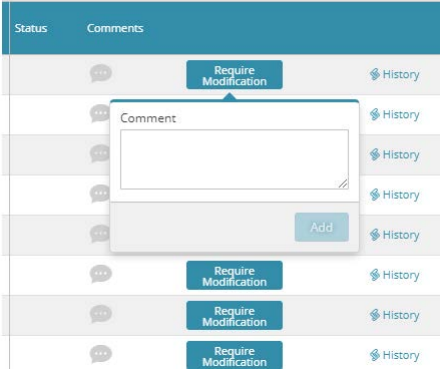
4. On the far right is a request modifications button.
a. Bottom is selected and a comments box appears
5. Enter the requested change and related information.
a. Save
6. Navigate back to the PI-Site certification landing page and complete any other necessary modifications.
7. Select certify and the Space Analyst (Workflow Step 3) will be review the request and make the necessary updates.
Note: A user may only have access to certify select PI-Sites within a Department or not all. The Certification process can be split among multiple parties based on a Department's structure.
Illustrative Screenshots

Department expanded view:
Agreements View in certification:
Require Modification comment: