September 18, 2026
Annually, to support the negotiation of our federally negotiated F&A rates, each institution’s Research Space Management group (RSMG) verifies and provides information on all space used for research.
This guide is to help users navigate the Space Modules functionality to complete this activity.
To learn more about Research Space and F&A, click here.
To take a training on the certification process, click here.
STEPS
1. All users assigned at a certify level access will be sent an activity to complete the action
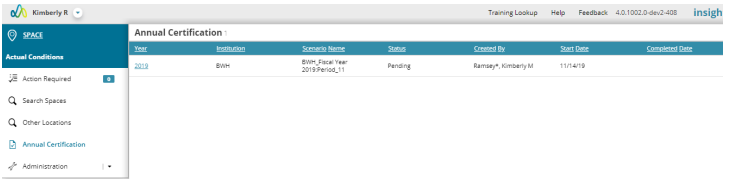
a. Users can also navigate directly to the activity in Insight > Space > Annual Certification
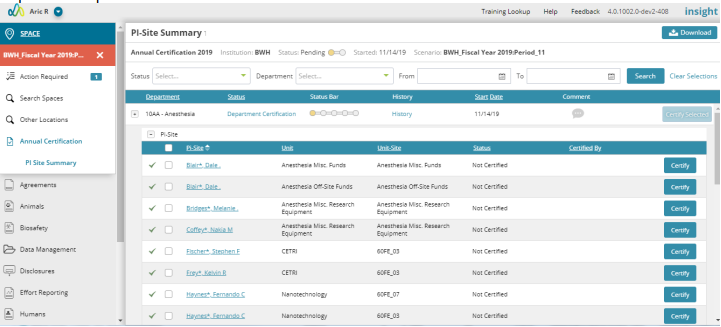
2. On the Annual certification landing page a user can see the multiple PI-Sites assigned to them for certification.
3. Users can Select one or multiple PI-Sites / Other Location funds to certify at a time.
a. If a PI-Site or Other Location item requires modifications, please click the corresponding link on how to complete:
i. PI-Site:
1. Space: Cannot be modified during the Certification process
2. Agreements: here
3. People: here
ii. Other Location Grants: Users can only add comments to request modifications.
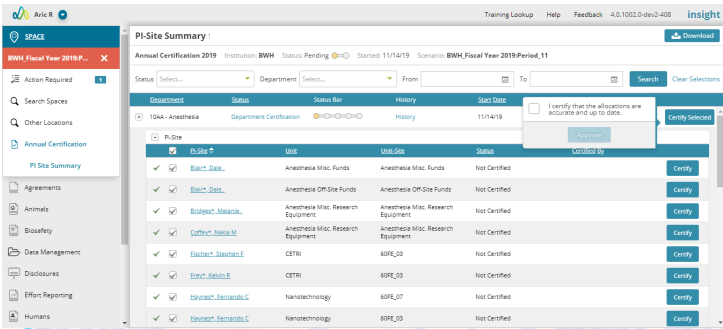
4. Each certification selection requires an attestation
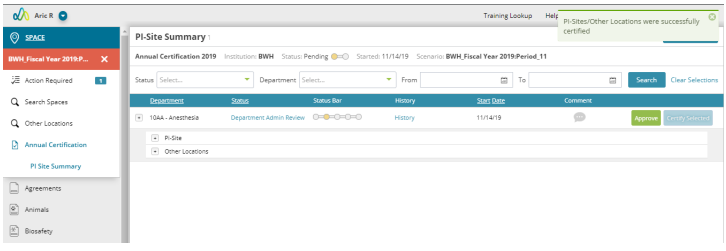
5. Once all PI-Sites and Other Locations are certified it will move to the Department Administrators approval of the certifications.
a. Department Admin can approve or uncertify a PI-Site.
6. Once certified and complete the Department Approver can move the activity forward to the Space Analyst for review.


Annual Certification Entry
Department expanded view
Attestation
Certification moved to next step