September 21, 2026
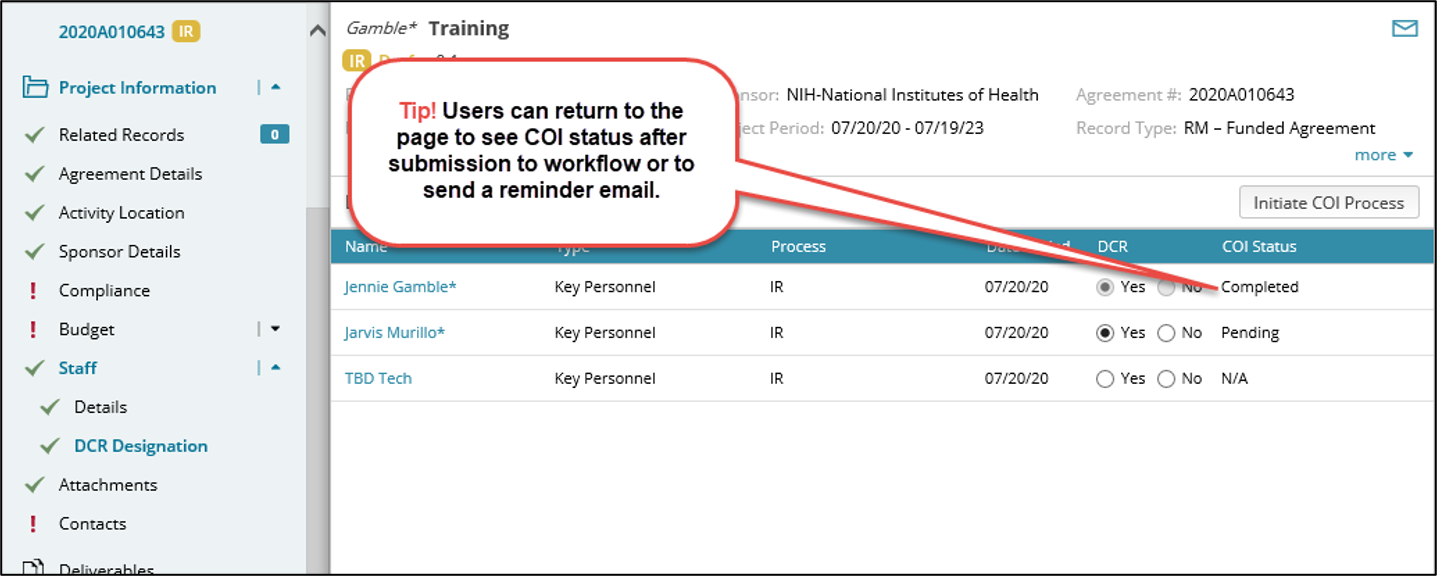
The DCR designation page lists all named staff associated with the project and is available and required based on the agreement type and sponsor selections in the agreement.
1. Indicate whether each individual is responsible for the Design, Conduct or Reporting of the agreement by selecting Yes or No. Anyone with the DCR value set to Yes, who has a Mass General Brigham login, will be required to complete a COI form at submission and again at JIT or Award time.
2. Users can trigger the COI process BEFORE submitting to workflow by clicking the “Initiate COI Process” button. The COI process will otherwise be triggered when submitting to workflow initially or after completing requested edits.
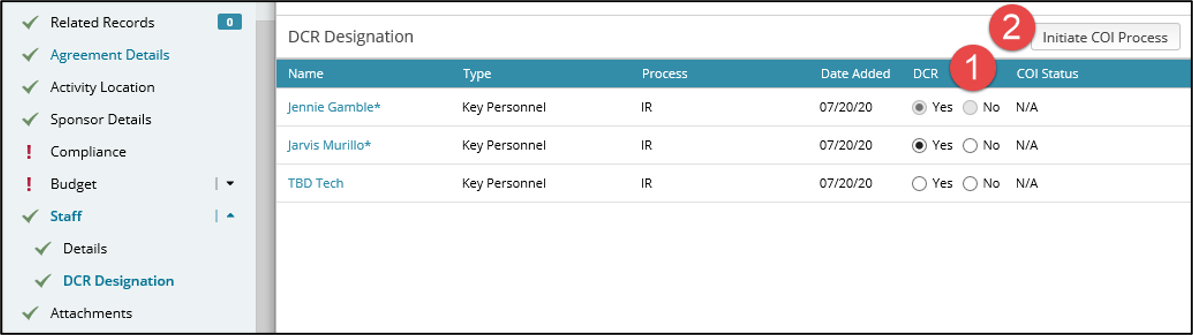
Please note that the DCR value for PIs is always defaulted to Yes and cannot be changed.
For all Key Personnel, this value is defaulted to Yes. If you change the value for Key Personnel to No, please add to the attachment section of this record a document that provides your justification for why the individual, despite being listed as Key Personnel, is not responsible for the design, conduct or reporting of the research project
Prior to submitting the proposal to workflow, you can add individuals to this page by entering them in the main Staff page, even if they have 0% effort or $0 cost.
What is the COI Training Status column and does it prevent me from submitting my record to workflow if it says "Incomplete" or "Expired" for an individual?
Every 4 years investigators must certify their COI training – different than the actual COI certification process against an individual record. It doesn’t prevent the record from being submitted. For more information, click the Staff Guide.