September 15, 2026
Introduction
The Amendment function in the Biosafety module under the Actions menu is used to initiate a change or addition to the existing registration and submit it to the Institutional Biosafety Committee for review.
STEPS
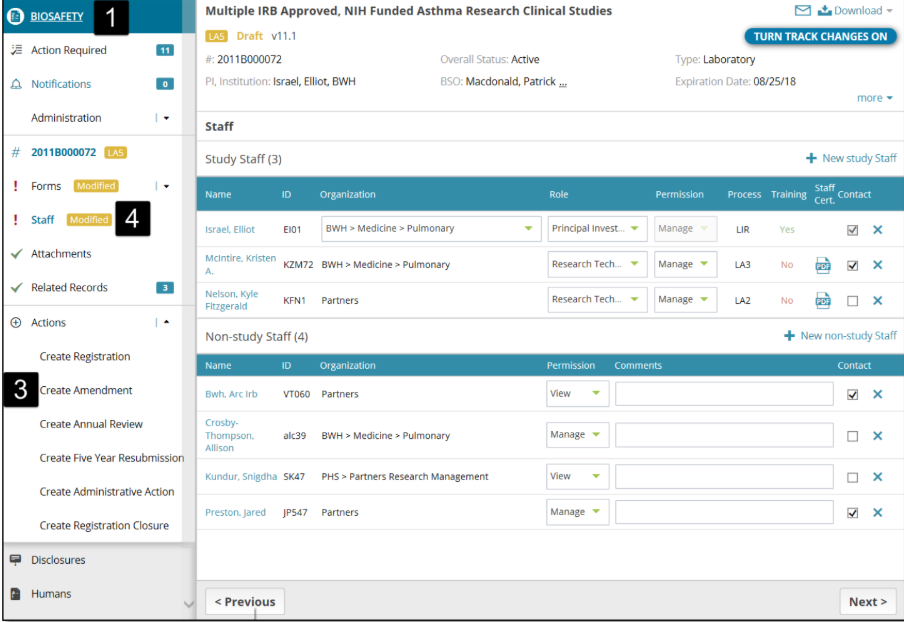
1. Click Biosafety
2. Select an existing registration from the landing page for which you would like to create an amendment.
3. Select Create Amendment under the Actions menu on the left navigation panel
4. You can manage staff by selecting the Staff tab on the left navigation and adding or removing Study Staff or Non-Study Staff, or make any other change as part of this amendment (different kinds of amendments are explained in detail below).
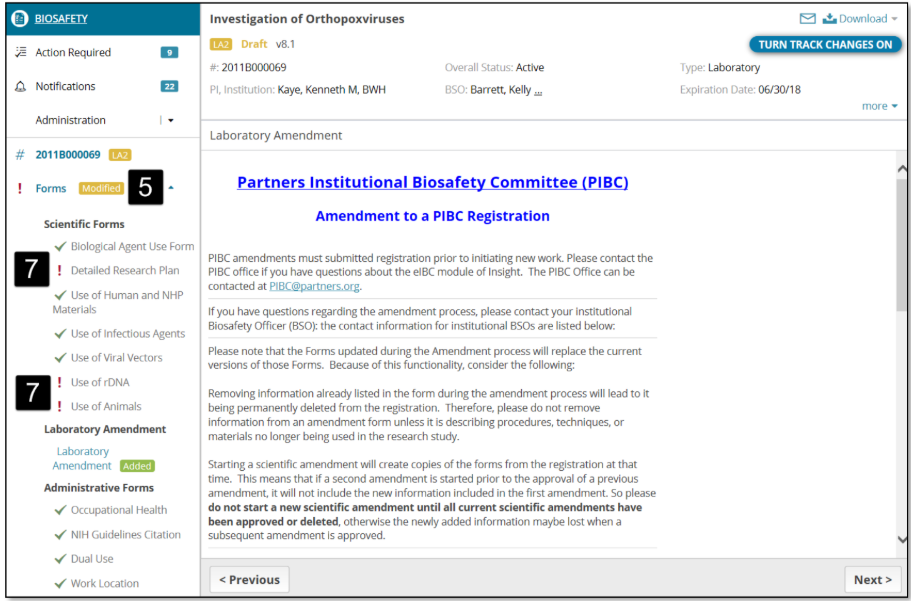
5. All forms are unlocked for modifications. Select the form that you would like to update in the amendment.
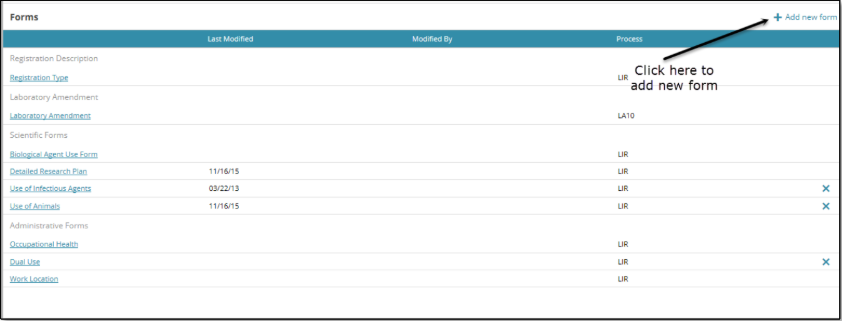
6. You can add new forms by clicking the “+ Add new form” link in the right corner of the forms page
7. Select, complete, and save all the incomplete forms (you can identify such forms with the red exclamation mark next to the form/section).
8. When all the forms and sections are complete, the Submit button is enabled at the bottom right corner of the screen
9. Click Submit.
10. Upon submission, a transaction status bar is displayed, which represents the future flow of transaction progression
Tip: All modified forms/pages have a yellow label displayed next to them and newly added forms have a green label displayed next to them
Types of Amendments
The two types of amendments are Administrative Amendment and Scientific Amendment.
· Administrative Amendment is one in which an administrative change such as a change in staff, work location form, funding source (related records tab), or project title (Registration type form)
· Scientific Amendment is one in which scientific forms and/or attachment documents are added, removed, or modified
Tip: Whenever you add or modify a scientific form, review the detailed research plan form. A red exclamation point next to the form will indicate the user must navigate to it to review and, if necessary, make modifications.
If both administrative and scientific changes are made at the same time, the request splits into two and two separate amendments will be created with information related to administrative changes on amendment one and information related to scientific changes on amendment two.