September 15, 2026
Introduction
You can add Study Staff and Non-Study staff to your Biosafety record through these steps below.
Steps
-
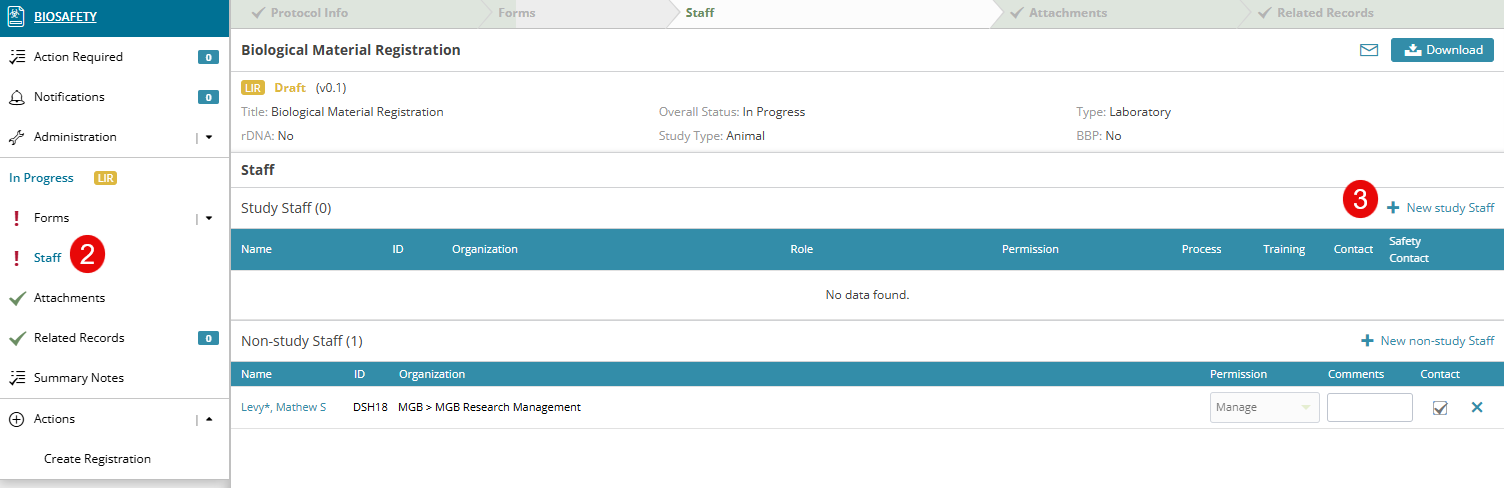
Select the Registration you wish to add Study Staff and Non-Study staff to
-
In the left navigation panel, click on the “Staff” section.
-
Click on ‘New Study Staff’ to add staff to the registration
-
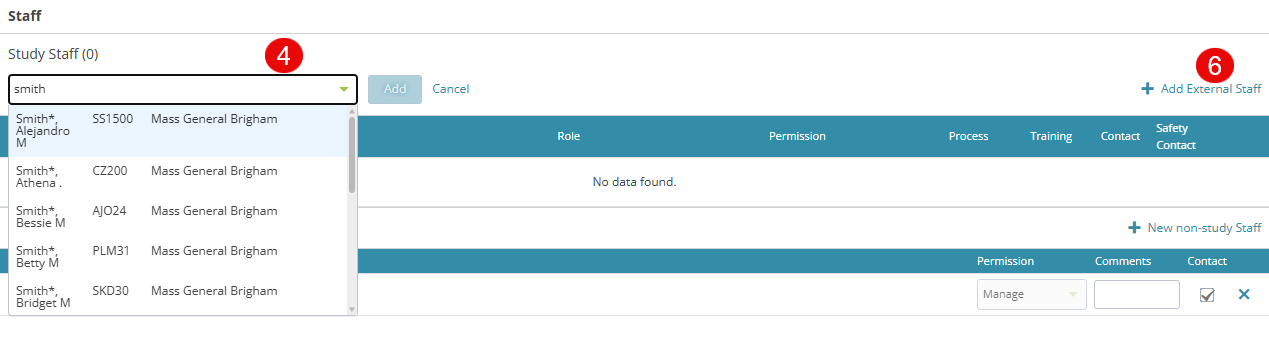
After clicking New Study Staff, enter the user ID or last name and first name to search for the staff member and click Add
-
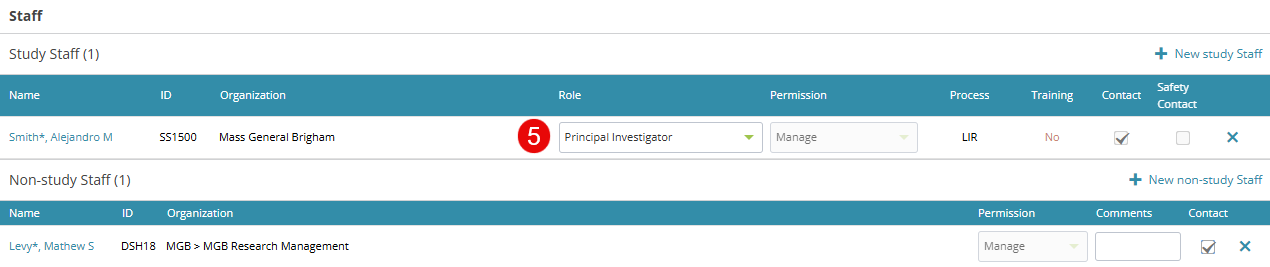
Once your staff is added, you may assign a role to the staff member
-
To add external staff to the registration, click ‘New Study Staff’ as in step 3 above and then ‘Add External Staff’
-
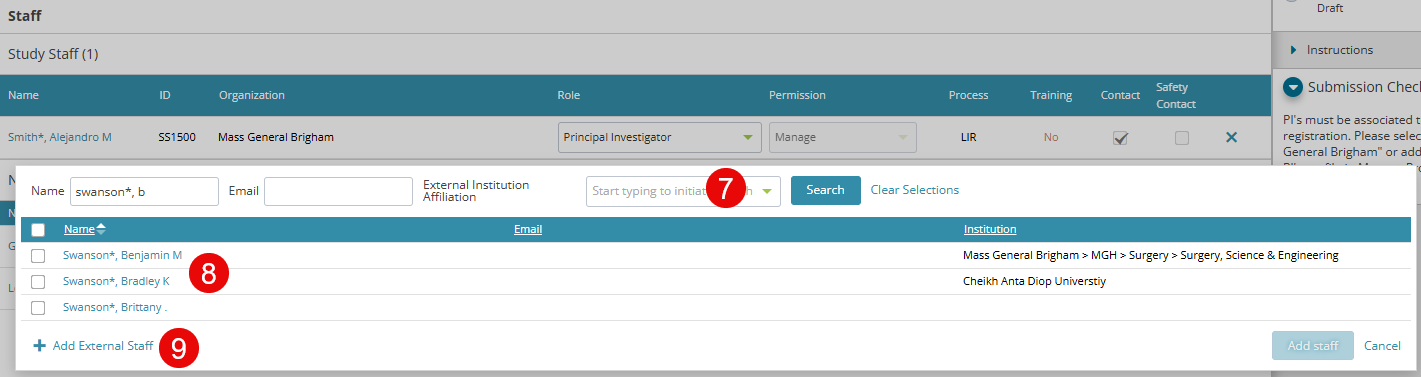
An internal window pops-up where you can search for an external staff
-
Clicking on Search button presents a list of external members
-
You can add a new person by clicking on the + Add External Staff link at the bottom left corner of the window if the person doesn't already exist in the system.
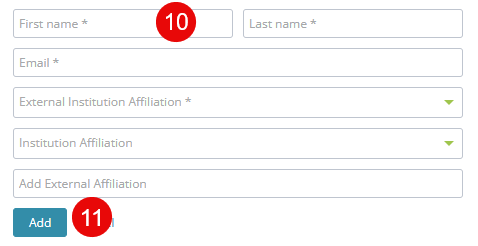
- Another internal window pops up where you can enter the name, email, and institution details of the external staff being added
- Enter all required fields and click the Add button