Posted on
Updated on
September 15, 2026
Introduction
This guide provides step-by-step instructions for locating and reviewing an individual’s complete training record in Insight. It explains how to access the Training Lookup tool, search by username or last name, and view the resulting training information.
Steps
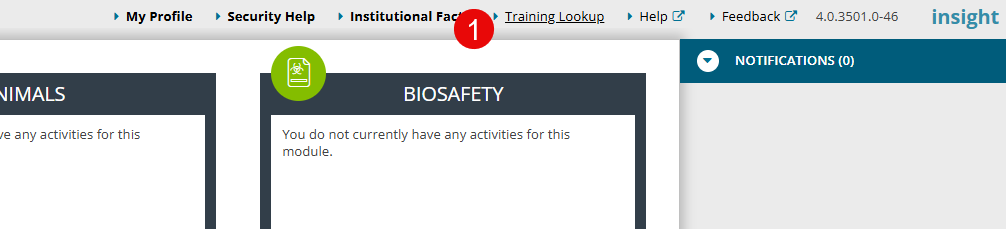
- Click the "Training Lookup" link in the header of Insight.
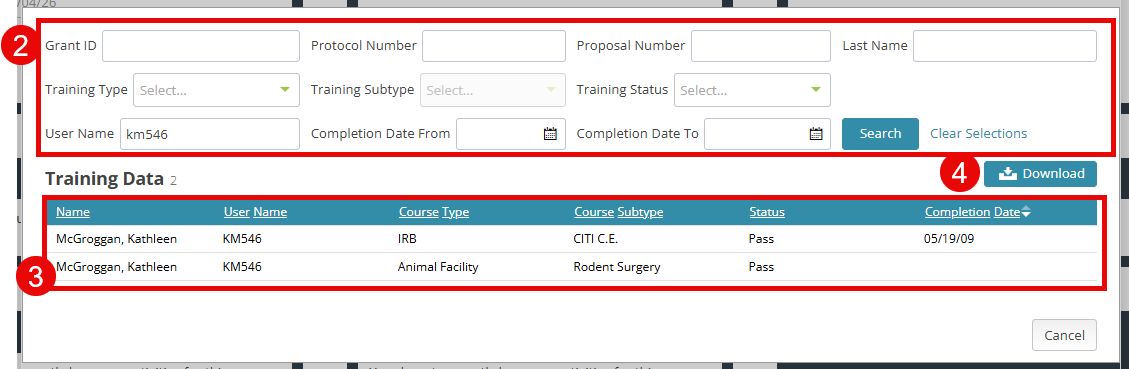
- To search by an individual, enter their Last Name or login information. Alternatively, you can search by Training Type, protocol #, Grant ID, etc.
- A complete training record for the individual/protocol/grant will be returned.
- Download information if necessary.