Posted on
Updated on
September 15, 2026
Introduction
Users can easily add attachments to agreement or protocol records by selecting files from your electronic folders or dragging & dropping.
Steps
- Inside a record and an open transaction, select the Attachments folder on the left panel.
- An attachment can be added by:
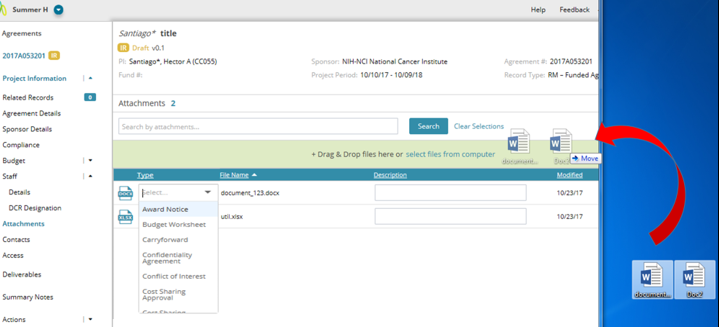
- Dragging and dropping the document(s) onto the light green area as shown below.
- Select the document(s) from a location on your computer
- Once file(s) are uploaded, select the Type and add a Description