Posted on
Updated on
September 25, 2026
This guide explains how to locate and generate an approval letter for a protocol in Insight. It covers how to review available protocol actions, filter the approval history, select the appropriate submission, and generate the final approval letter from the applicable review stage.
Steps
Prerequisite: Log in to Insight and open the applicable protocol.
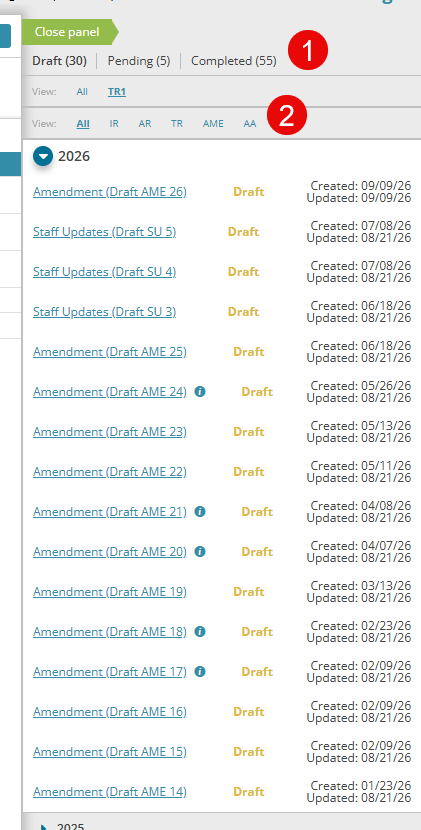
- Review the right-hand panel, which displays actions that have been started or completed for the protocol.
- Use the available filters to narrow the list by triennial review, year, or submission type.
- To view approvals for the protocol’s full history, select All in both filter levels.
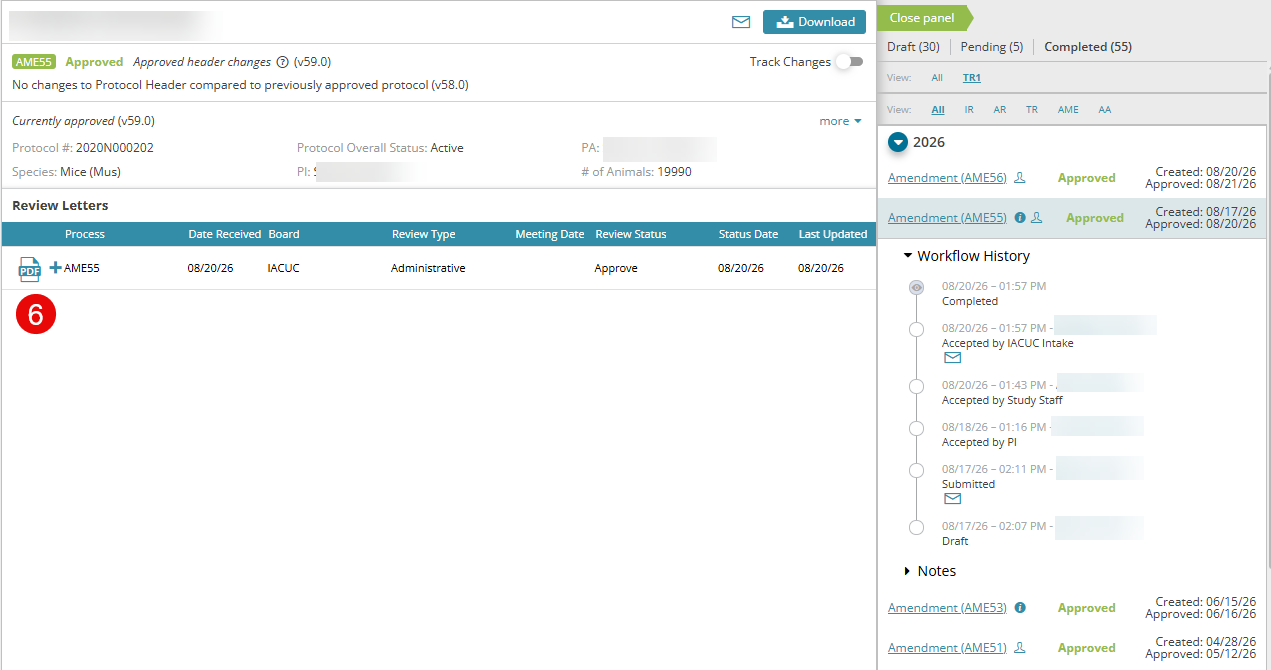
- Select the initial review, amendment, or triennial review associated with the approval letter you need.
- Confirm that an approval letter is available:
- For approved submissions, the final approval letter is available.
- For pending submissions, letters are available only for completed stages in the approval workflow, such as Requires Modification.
- Review the submission details, including meetings, review stages, and other workflow information.
- To generate the final approval letter, select the letter icon at the top of the review-stage list in the middle panel.