Posted on
Updated on
September 25, 2026
This guide explains how to add a funding source to a new or existing protocol while working within a Draft transaction. It covers how to search for and select the appropriate agreement or grant, add it to the protocol, and view associated funding sources under Related Records.
Steps
* Prerequisites: must be working within a Draft transaction on the protocol. Learn more about creating protocols or amendments.
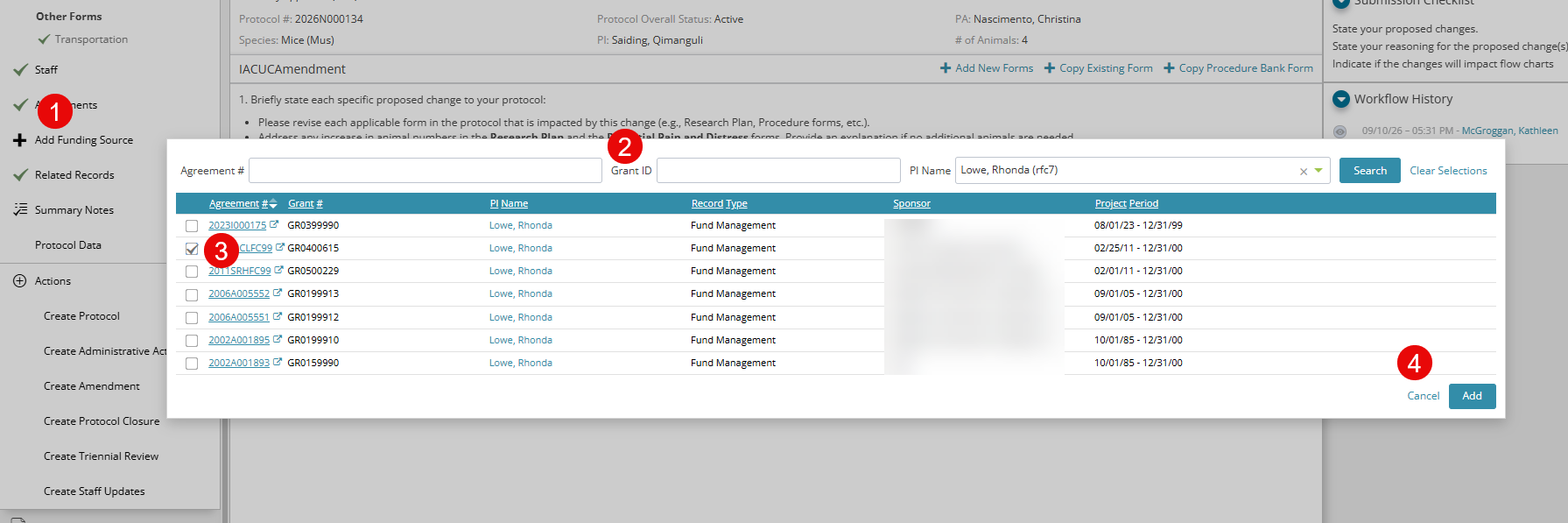
- On the left-hand navigation bar, select “Add Funding Source."
- Use at least one of the search bar options to search for the agreement/grant.
- Once identified, select the box to the left of the appropriate agreement/grant.
- On the right-hand side, select “Add”.
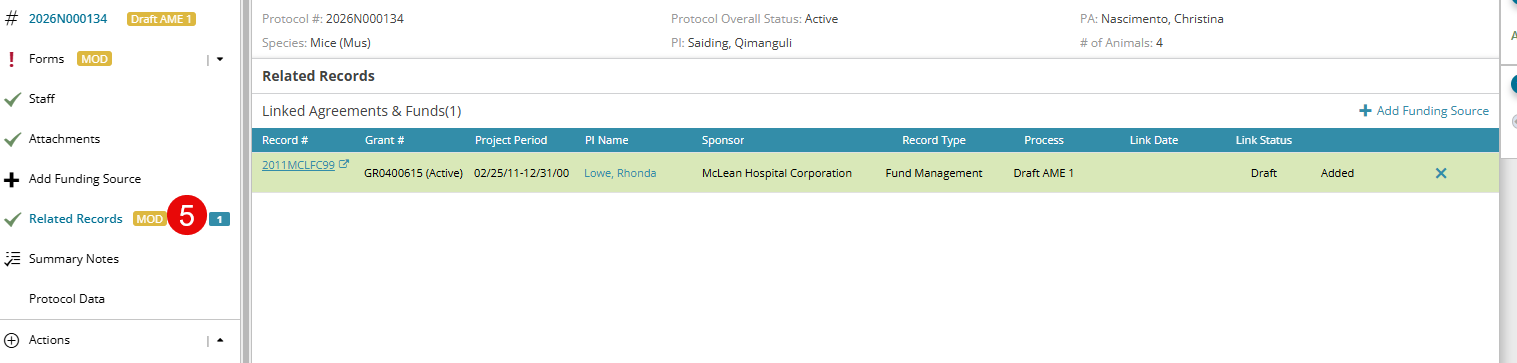
- To view funding sources you have added or those already approved on the protocol, select “Related Records” on the left-hand navigation bar.