September 15, 2026
Introduction
The Related Records section in the Biosafety module lets users create relationships between records by linking or unlinking associated Agreements and/or Protocols to registrations.
Steps
1. Select the Related Records section on the left navigation panel.
2. Click + Add Funding Source to link a related agreement to the selected registration
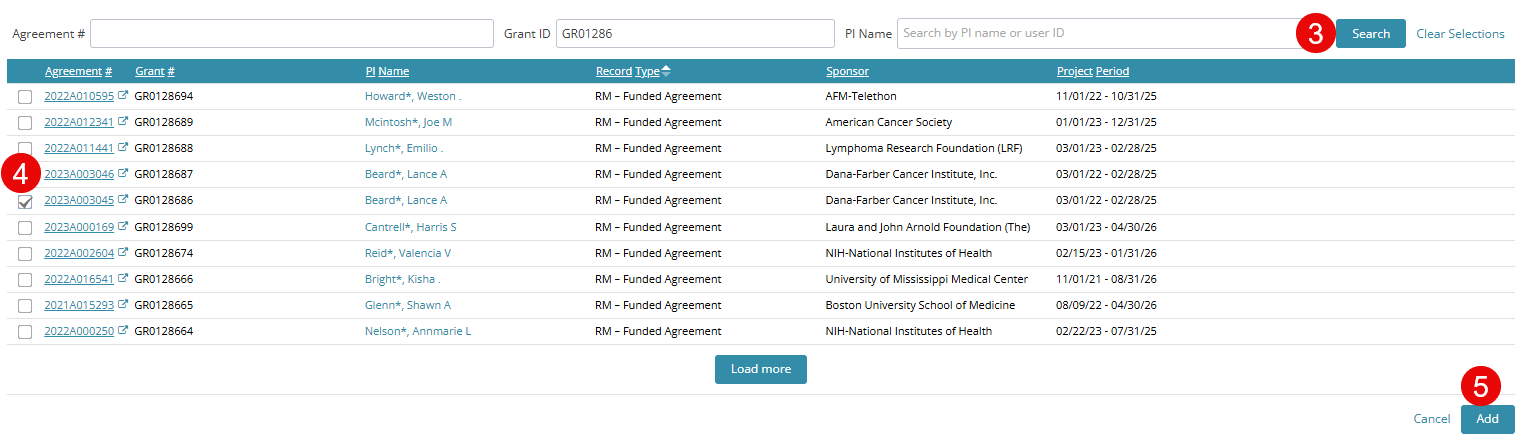
3. Search by Agreement #, Grant ID, or PI name.
4. Select the check box next to the agreement(s) you’d like to add.
5. Click the Add button.
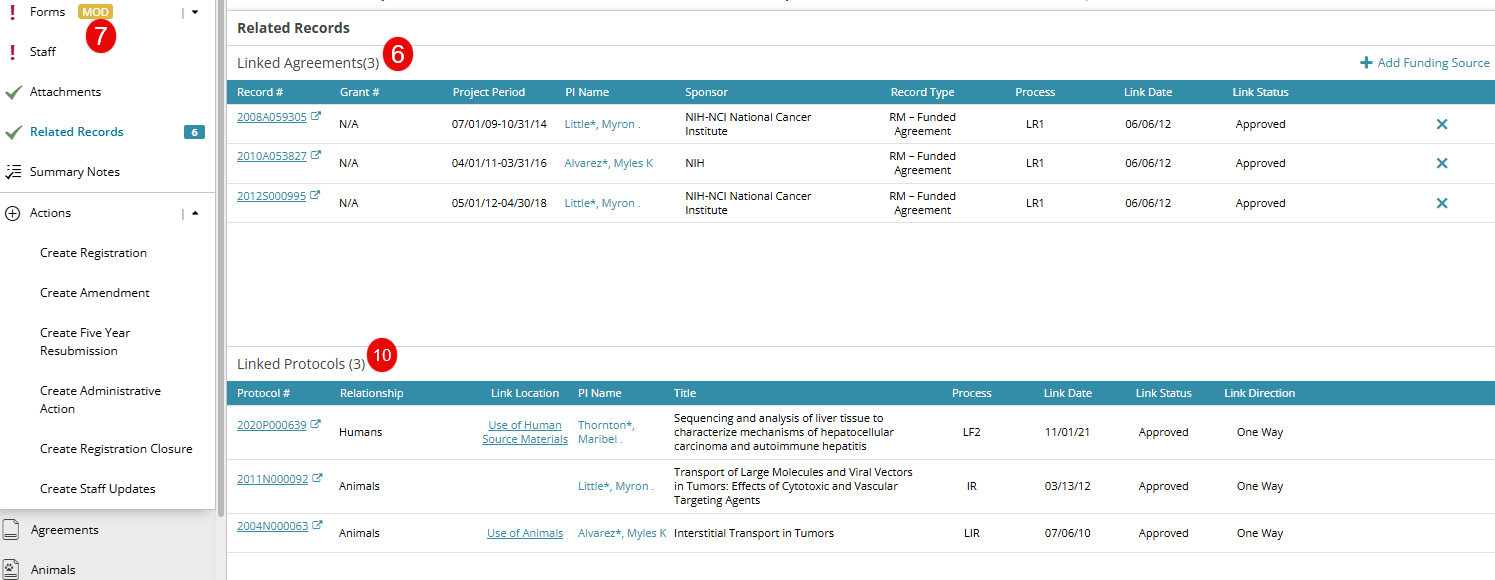
6. Selected agreements are now added under the Linked Agreements section.
7. Protocols are linked directly in the Registration forms. To link a protocol, go to Step 8 if you are submitting a transaction for a Clinical Trial Registration. If you are submitting a transaction for a Laboratory Registration, go to Step 9.
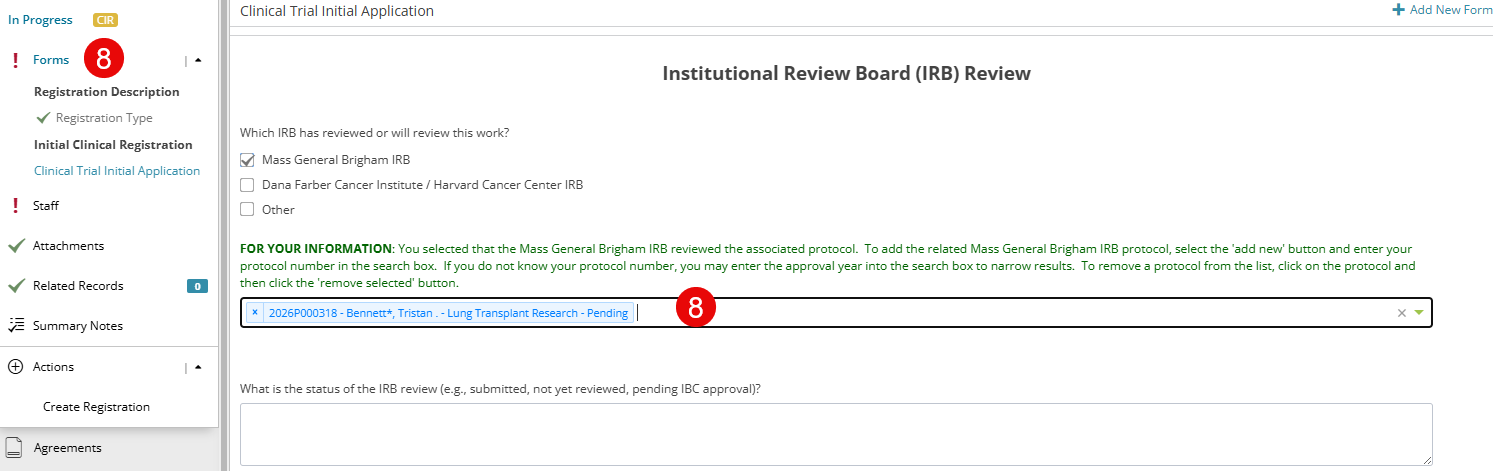
8. Click the Forms section and select Initial Clinical Registration > Clinical Trial Initial Application form, select the associated protocol from the type-ahead drop-down field, and Save the form, and navigate back to the Related Records page. Go to Step 10
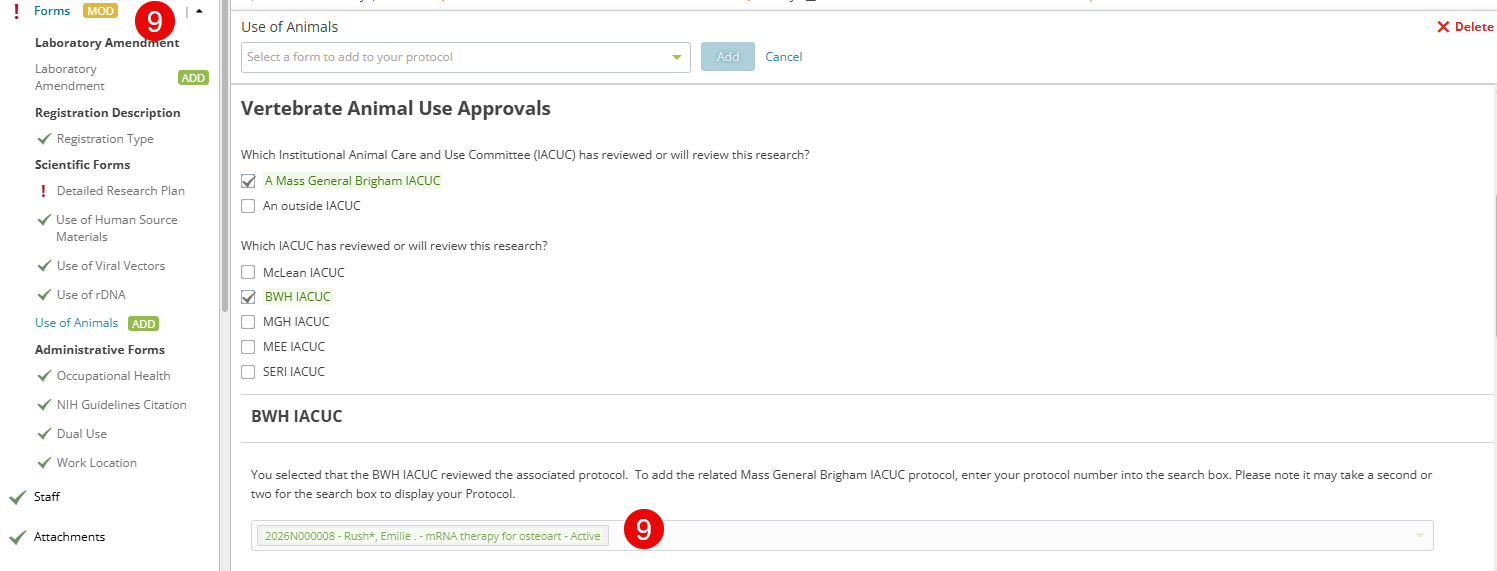
9. Click the Forms section and select Scientific Forms > Use of Animals form, select the associated protocol from the type-ahead drop-down field, and Save the form, and navigate back to the Related Records page
10. You will now be able to see the protocol(s) linked from the Forms section under the Linked Protocols section.