Posted on
Updated on
September 25, 2026
Use this guide to check the current status of a protocol transaction in Insight and identify where it is in the review process. You can also see who the transaction is currently with.
Steps
Prerequisite: Log in to Insight, and then search for and open the applicable protocol.
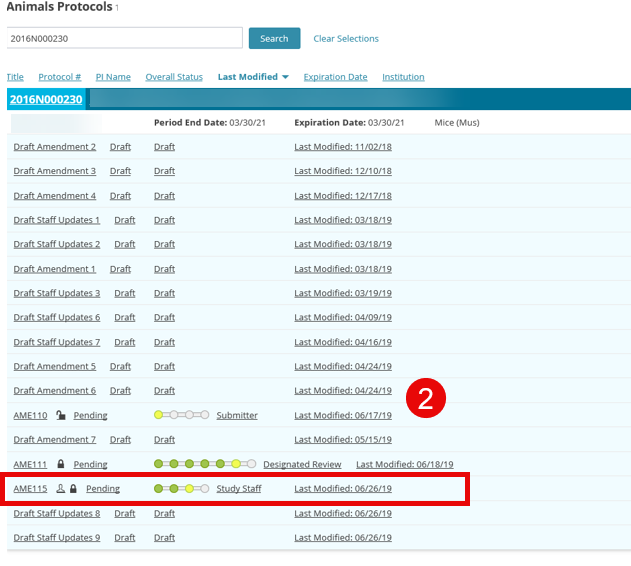
- Review the protocol list. The approved protocol title and number appear first, followed by its transactions and the current review stage for each transaction.
- Select the transaction you want to review.
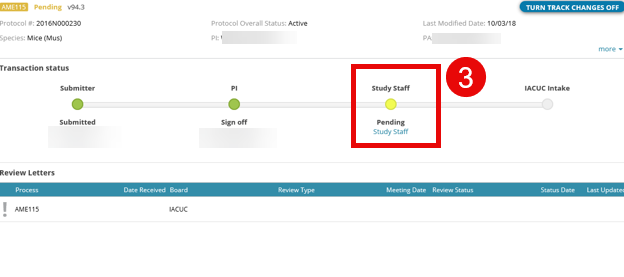
- Review the workflow displayed in the transaction. The yellow dot marks the transaction’s current step in the review process.
- If the current step does not display a person’s name, select the yellow dot to see who currently has the transaction.