September 15, 2026
Introduction
Protocol Closure is a transaction that allows users with Manage permissions to close a protocol. An Annual Review is not required to close out a protocol.
STEPS
1. Click Animals.
2. Open a protocol with an overall status of 'Active' or 'Hold Lapsed.'
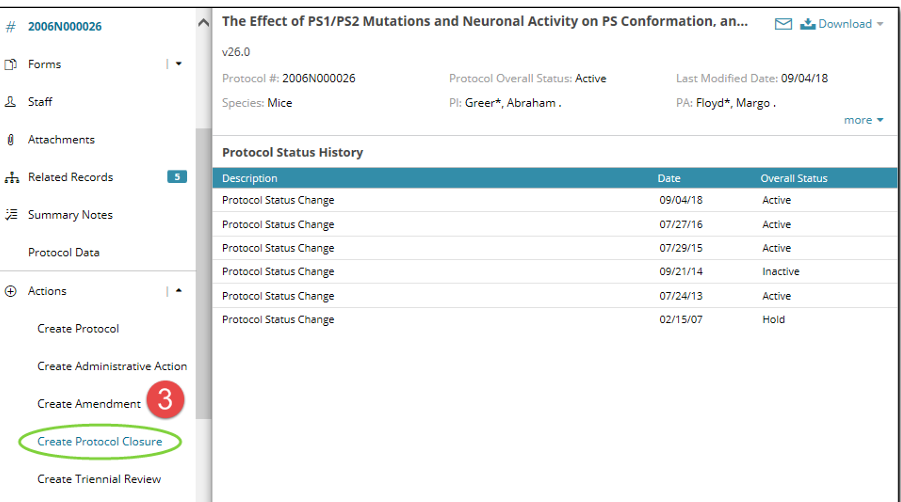
3. Select Create Protocol Closure under the Actions menu on the left navigation panel
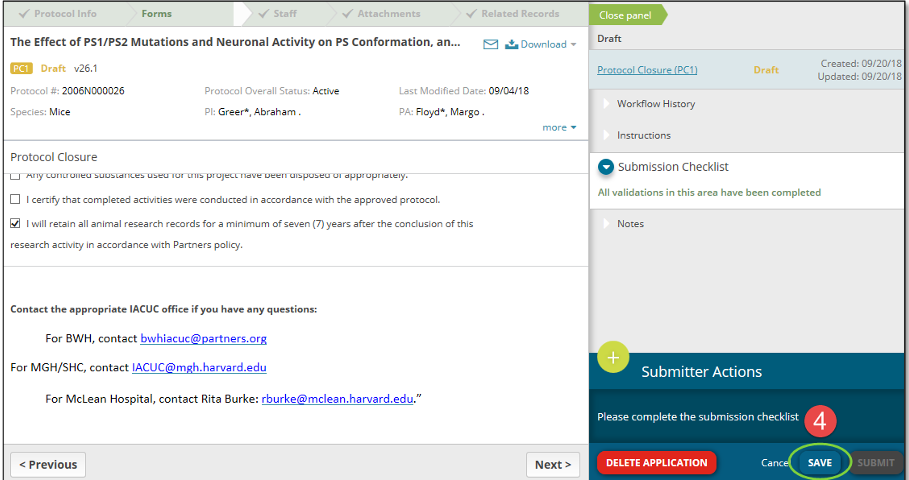
4. Complete the required fields within the Protocol Closure form (everything except the Protocol Closure form will be locked from editing). When the submission checklist says ‘All validations in this area have been completed,' click Save. You may also save your progress at any point.
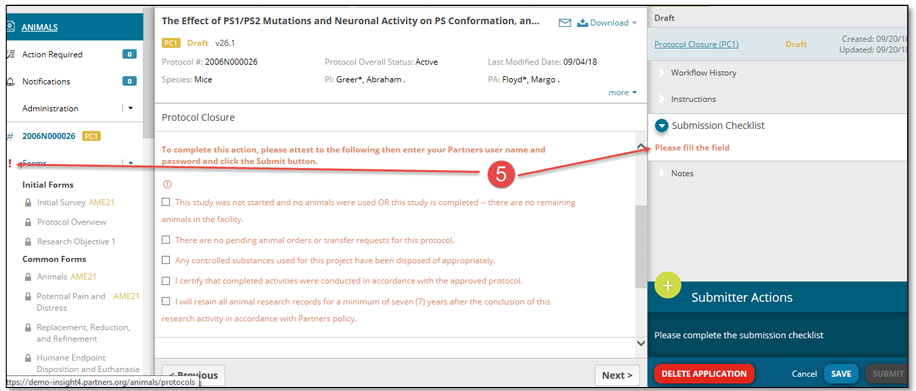
5. If you missed a required field, there will be a Red ! exclamation mark next to the name of the form in the left panel, and the submission checklist will indicate which field needs to be completed.
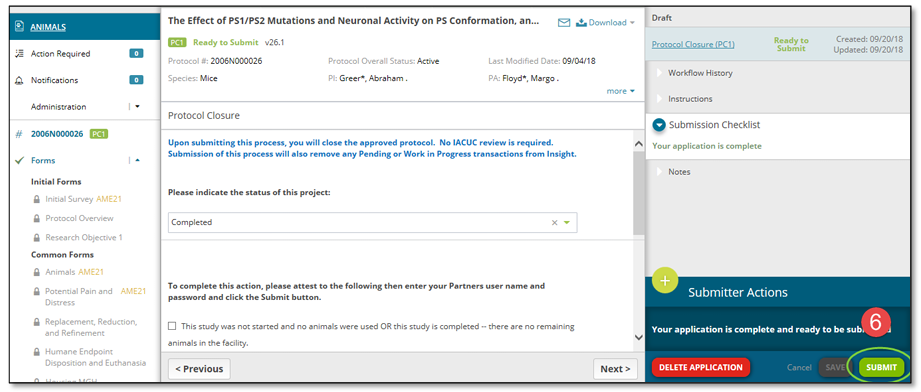
6. When all required items have been completed and saved, the Protocol Closure form is ready to submit. This will be noted by the submission checklist in the right panel, green checklists next to all forms in the left panel, and a green ‘Submit’ button in the bottom right
| Reminder: No IACUC review is required for closing the approved protocol. Submission of this process will also remove any 'Pending or Work in Progress transactions from Insight. |