Posted on
Updated on
September 14, 2026
The Inventor Apportionment and Lab Allocation process is an action in Insight to capture the MGB inventors' apportionment share and lab share on an invention. This action replaces the PI election information previously captured on paper or via email. When an Invention meets a key milestone, the Inventor Apportionment and Lab Allocation action will be generated and assigned to the MGB PI initially.
After the MGB PI reviews, the action will be sent to all additional MGB active inventors for review and agreement of the designated allocations and apportionments.
This is an internal action and only relates to MGB inventors (not external collaborators).
To complete as the invention MGB PI:
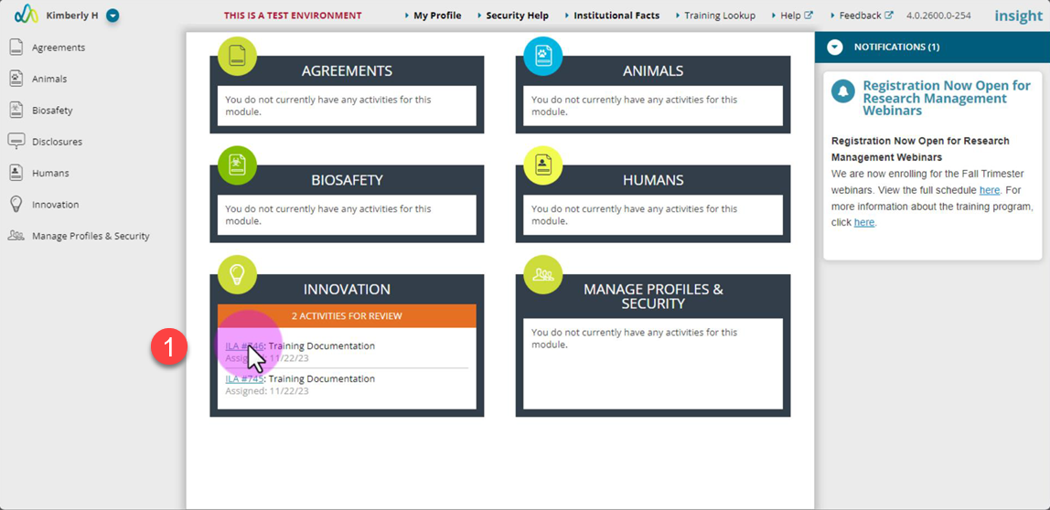
- Open the action via the link in your email or the action on the Insight landing page.
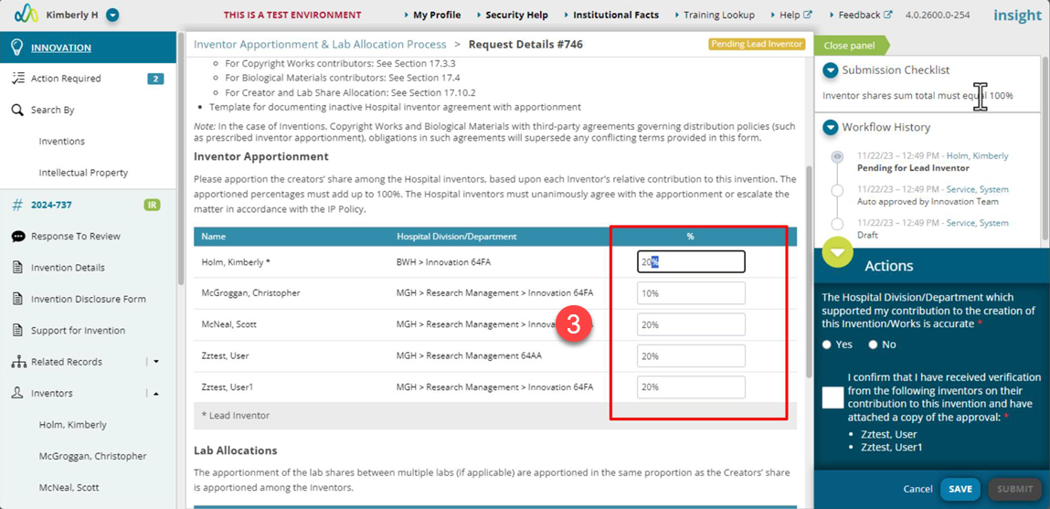
- Review assigned apportionments and allocations.
- If needed, make updates in the various sections:
- The creators’ share among the Hospital inventors, based upon each Inventor’s relative contribution to this invention. The apportioned percentages must add up to 100%.
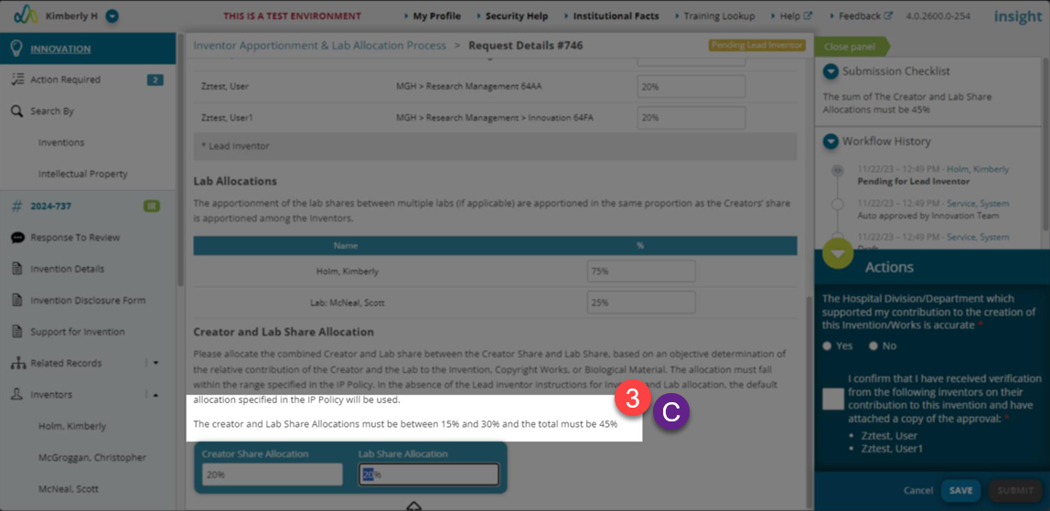
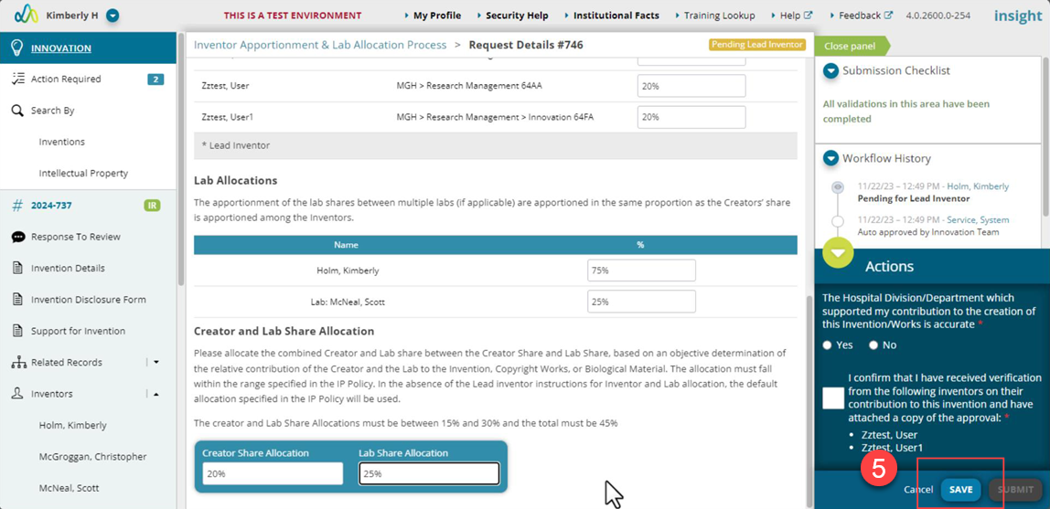
- For the lab allocation, complete the same review and update as needed. Lab allocations must each equal 100%.
- Update the Creator and Lab Share Allocation making sure the percents equal the total indicated based on the IP Policy.
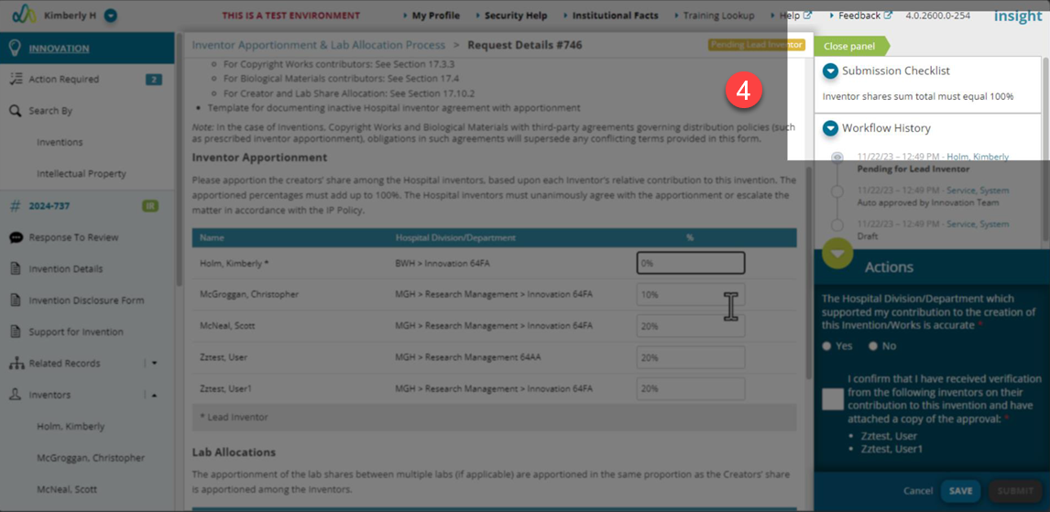
- Use the submission checklist on the right to resolve any issues with updates and total percents.
- Click the “Save” button.
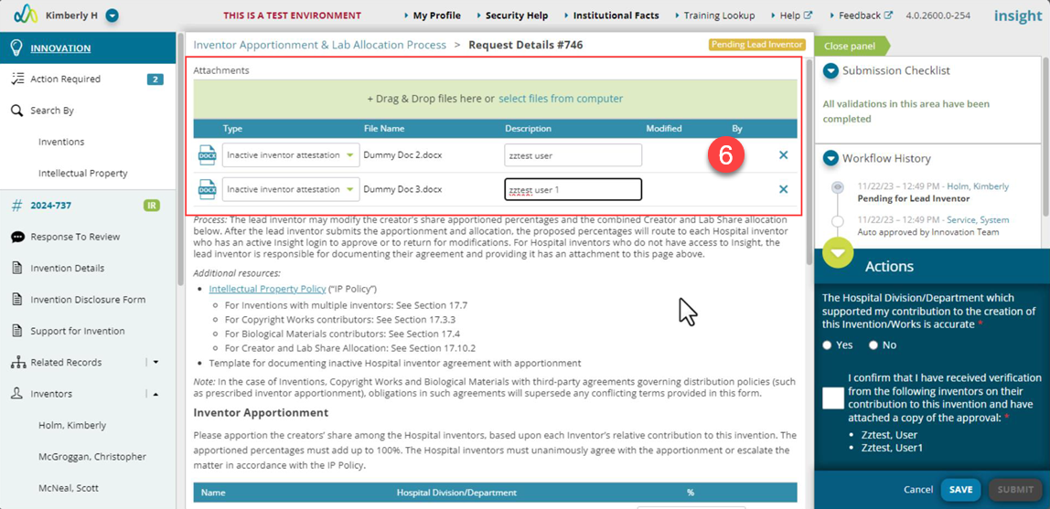
- Attach required or optional documents:
- If an MGB inventor is no longer an active employee, the MGB PI must upload documentation regarding the inventor(s) acceptance of the inventor share apportionments and the Creator/Lab Share allocation. This documentation must be added before submitting the action.
- Attach documentation (scroll to the green box at the top of the page) pertaining to inactive MGB inventor acceptance of the apportionment and allocation. This documentation can me an email from them indicating agreement. The attachment type must be selected from the dropdown in the green box.
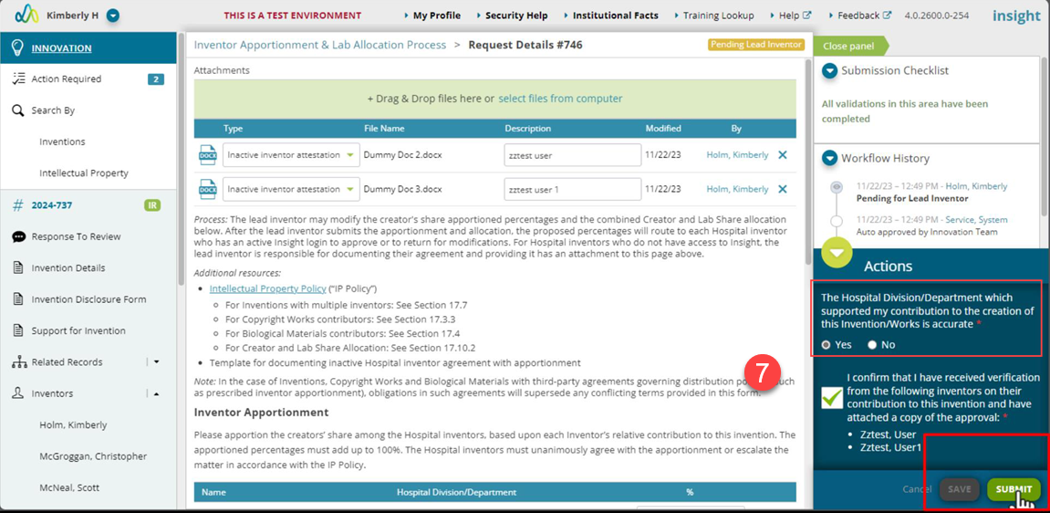
- When all updates have been completed, the action is ready to submit.
- You’ll be asked to confirm your department/center listed on the invention. By answering No, you are confirming that updates are needed, and the Innovation team will follow-up with you regarding this.
- Click the “Submit” button.
- The action is now assigned to all active MGB employees listed to review and accept the MGB inventor apportionment and the Creator/Lab Share allocation.
| Note: If you have questions on the inventors listed or any other data, please reach out to your BD & Licensing Manager. |