Posted on
Updated on
September 14, 2026
Introduction
The Inventors page should list everyone who contributed to conceiving the invention in its complete and operative form. This includes both MGB and external inventors.
The MGB PI selected when the record was created is already listed on the page.
- To add an MGB inventor to the record (MGB inventor is someone who was at MGB during the creation of the invention):
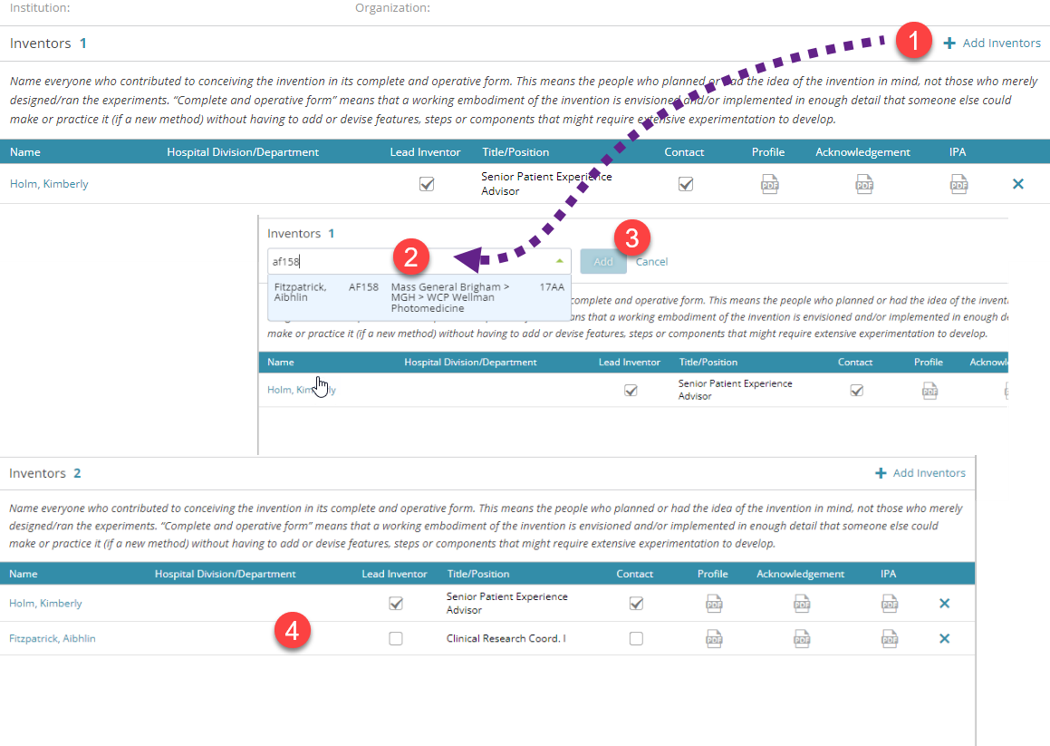
- Click the “Add Inventors” link.
- Find the inventor by entering a name (last name, first name) or MGB login ID and then select the person from the dropdown.
- Click the “Add” button.
- The additional inventor is added to the record.
To add an external inventor to the record (an external inventor is a collaborator who was not at MGB during the creation of the invention):
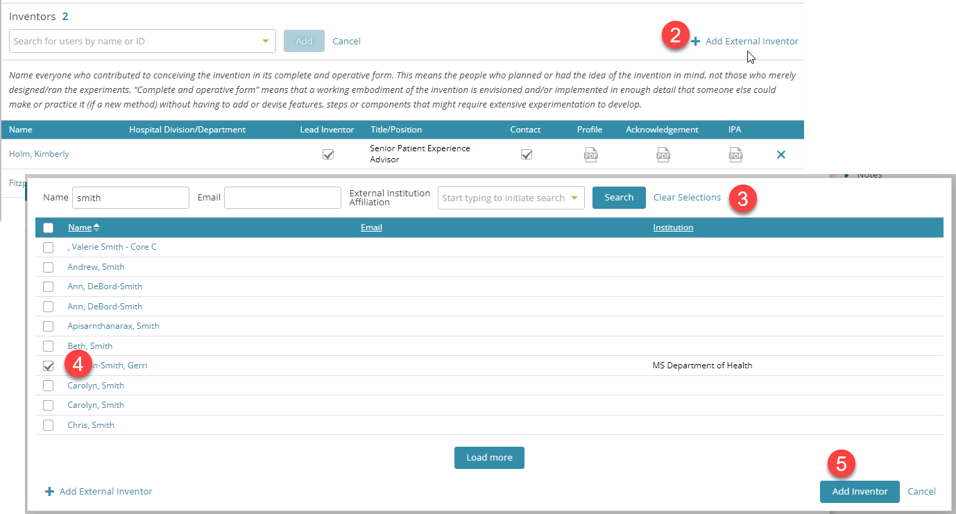
- Click the “Add Inventors” link.
- Click the “Add External Inventor” link.
- Search by Name, Email or External Institution Affiliation.
- Select the person.
- Click the “Add Inventor” button.
If the external person is not found, they can be added following steps 1 & 2 above and then:
- Click the “Add External Inventor” link.
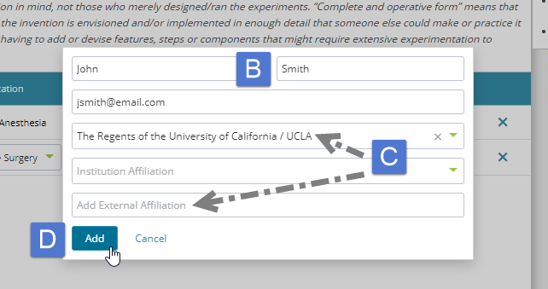
- Enter the inventor’s First name, Last name and Email address.
- For External Affiliation either search and select it from the “External Institution Affiliation” field or enter a new one in the “Add External Affiliation” field.
- Click the “Add” button.
- The external inventor is added to the record.