Posted on
Updated on
September 14, 2026
The Execute Distribution Policy Review action in Insight is used to capture the grant numbers when money will be distributed for an Innovation agreement. This action replaces the information previously captured on paper or via email with inventors and department administrators.
These grant numbers will be used when commercialization revenue is received on an executed agreement so that departments, centers and labs can be allocated their share of the revenue.
This process relies on the Innovation Department/Center Admin assigned via Research Contacts. This role can be managed by the Department Keygiver.
| Note: this role is only required for Departments and not Units (example: 56AA but not 56BA). |
To complete the assigned action:
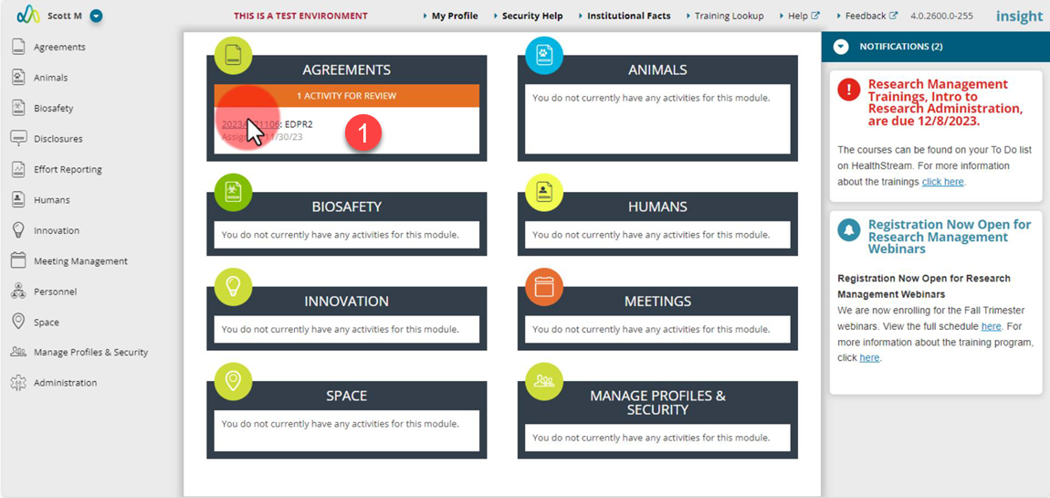
- Open the action via the link in your email or the action on the Insight landing page.
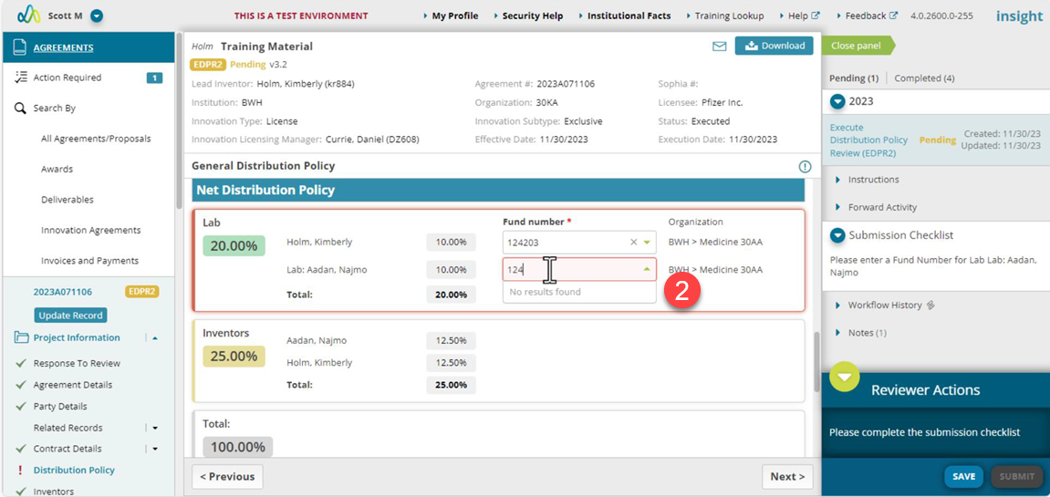
- Enter a grant for each required field.
- The grants available to select will be active department or unit grants.
- A list of required fields to be completed is presented in the right panel under the Submission checklist.
- As each grant is entered, the submission checklist updates.
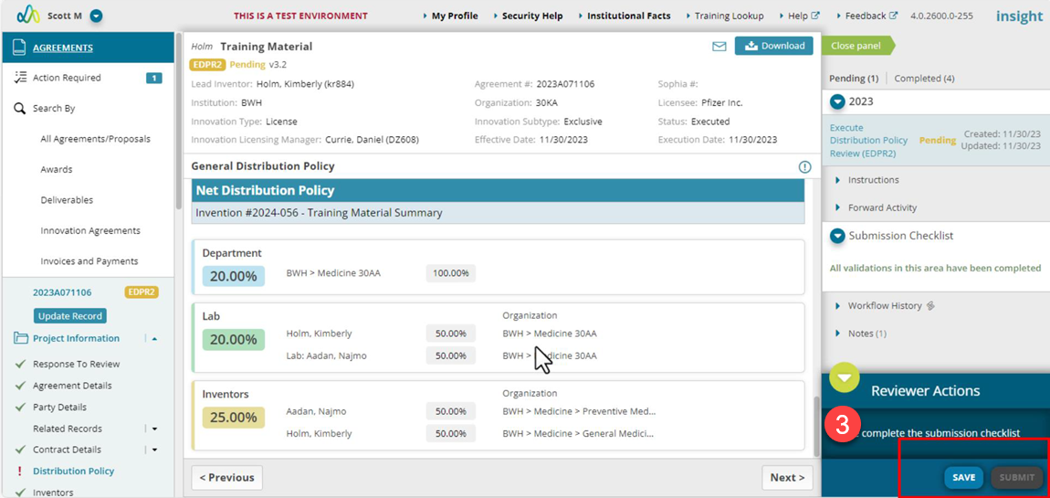
- Be sure to click the “Save” button as you enter each grant or when all fields are completed.
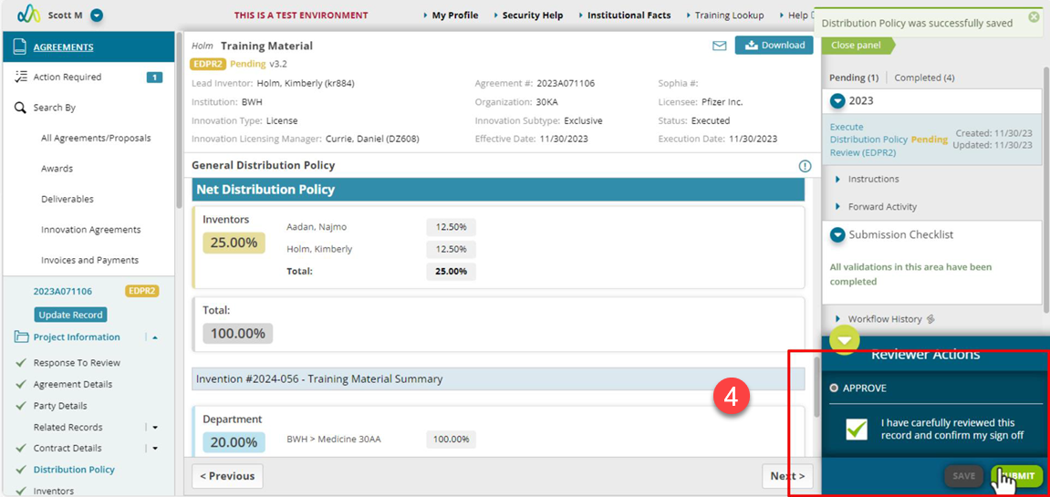
- When all updates are completed, select the approve option, confirm the attestation and click the Submit button.
- This will complete your step in the process. If there are other departments that need to complete their grant entry the action will remain open.