September 14, 2026
Each MGB Inventor listed on the Inventors page will need to complete their IP Acknowledgement or "IPA" (if not already completed for the submitting institution) and accept their participation in the invention. Click the link via email or log into Insight and go to assigned actions in the Innovation module.
Each Inventor will need to:
- Complete outstanding profile information
- Complete the IPA
- Complete the Form Submittal and Signature(s) page
- Select an Inventor Action and click the “Submit” button
Details on completing each step and screenshots are provided below.
Completing Outstanding Profile Information
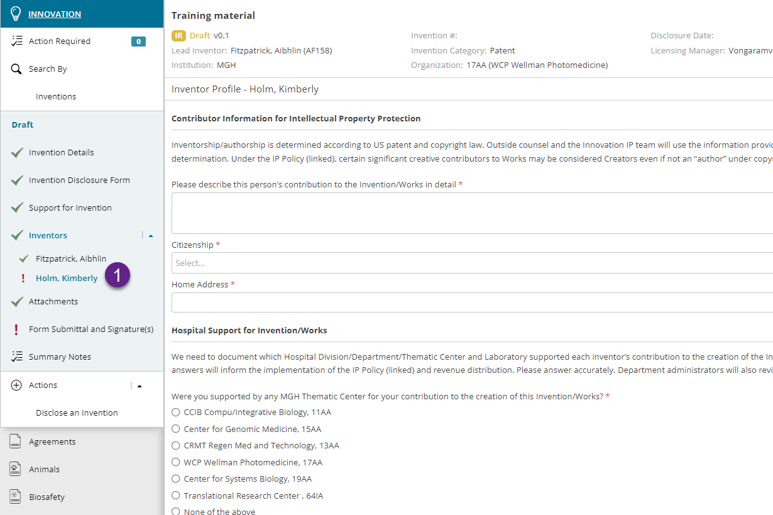
Each individually must complete their profile information on their individual page:
- Select your name in the left navigation
-
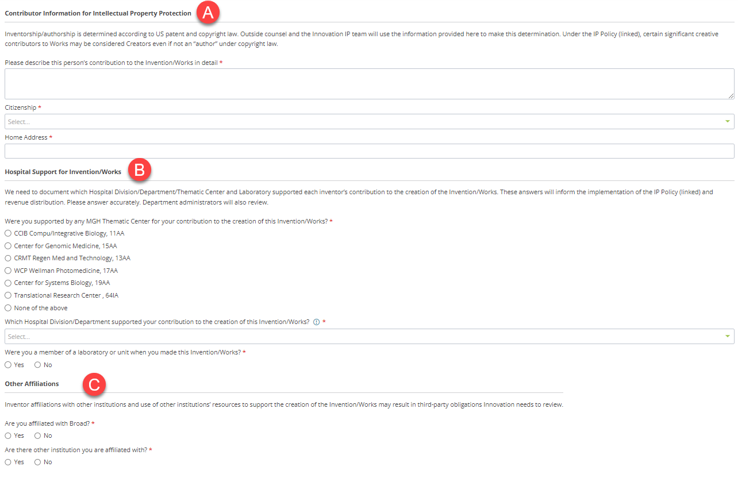
The page is broken down into 3 sections:
-
Contributor Information for Intellectual Property Protection
-
Describe the inventor’s contribution to the invention.
-
Select Citizenship.
-
Enter a Home Address.
-
-
Hospital Support for Invention/Works
-
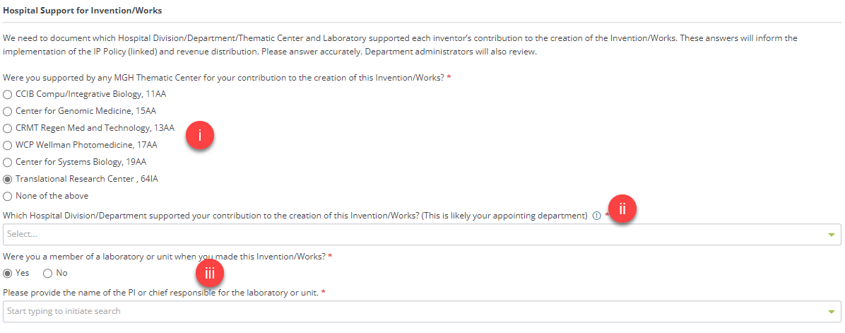
If you have any association to MGH, you will be presented with a question regarding support from the Thematic Centers in your contribution to this invention. If the Thematic Center did not support the named inventor, answer “None of the above”
-
Each MGB inventor will be asked to indicate which division/department supported their contribution to this invention. If you selected a Thematic Center in the previous question this would be your appointing department.
Thematic Centers will not be available in this dropdown and an appointing department is required. If a user does not an appointing department (only directly related to MGH for example), it can be updated by following these instructions.
Note: The department must be at one of the following MGB institutions: MGH, BWH, MCL, SRH, SERI or MEE.
-
Indicate if you were a member of a lab when making this invention and then select the PI or chief responsible for the lab.
-
-
Other Affiliations
-
Answer the additional questions regarding affiliations.
-
-
- Click the Save button.
- The profile now has a green checkmark to indicate it is completed.
|
Tip: To quickly add a new division/department to a profile, click the red or blue icon next to the question to open the Associated Organizations page for the person.
|

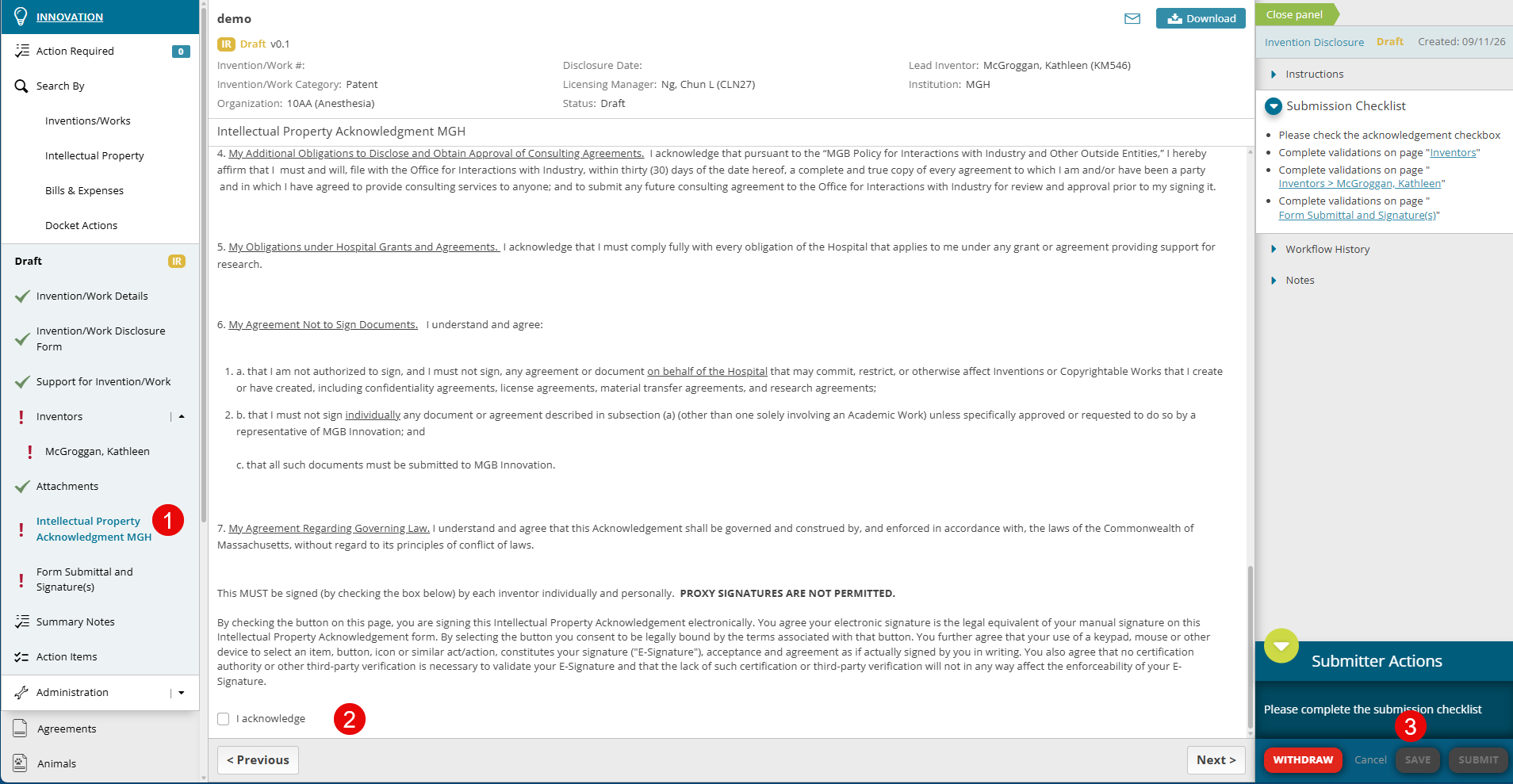
Completing the IPA
The Intellectual Property Acknowledgement or IPA will now be captured electronically per institution and per inventor.
- Select the Intellectual Property Acknowledgement page (IPA) to review and complete.
- Read/review and when ready scroll to the bottom and check “I acknowledge”
- Click the “Save” button
| Note: You may have completed the IPA in the past on paper, however, you are now being asked to complete this electronically. Once completed, the IPA is automatically added for the inventor to all future disclosures (by institution). |
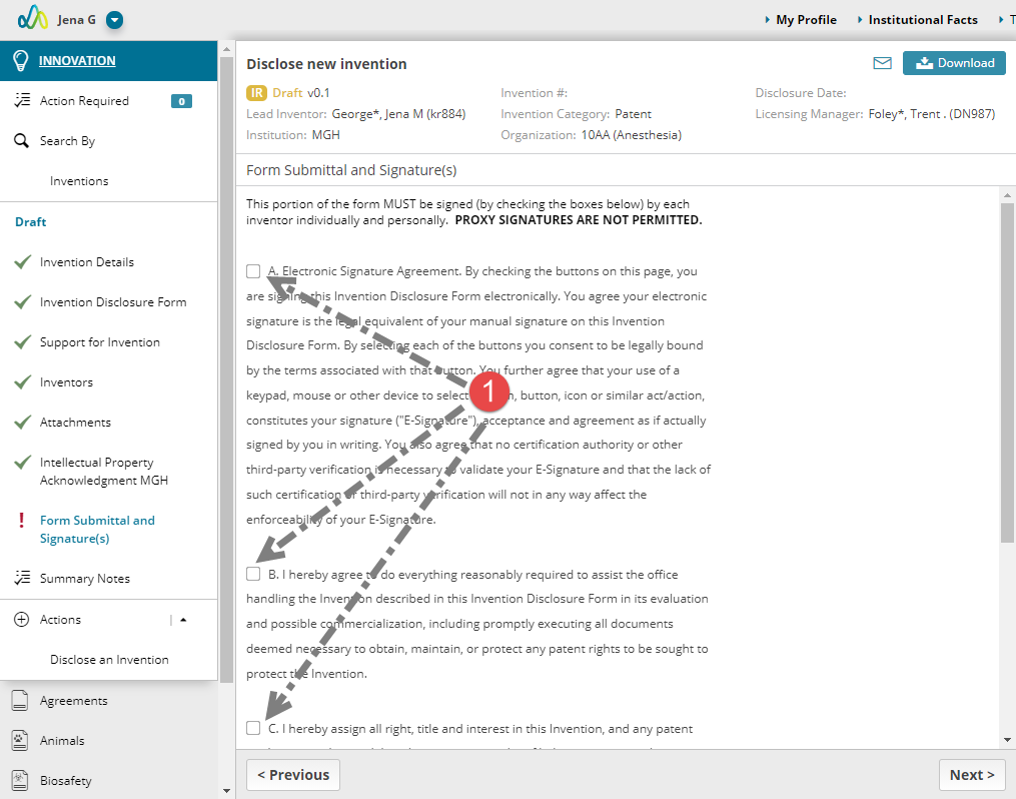
Completing the Form Submittal and Signature Page
- Each Inventor must electronically accept their participation in the invention.
- Review each statement (A – E), checking the box for each when done.
- Click the “Save” button
Completing the Inventor Action and Submit
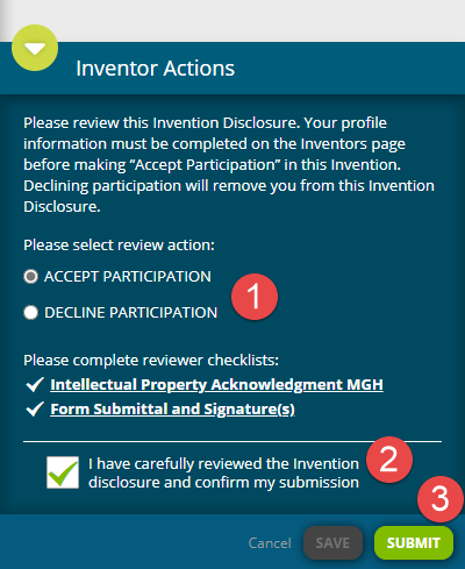
- Select an Inventor Action:
- Accept Participation: agree that you are a part of this invention
- Decline Participation: you are indicating you are not a part of this invention and should be REMOVED. Declining will automatically remove you.
- Check the attestation box.
- Click the “Submit” button.