Posted on
Updated on
September 14, 2026
The Inventor Apportionment and Lab Allocation process is an action in Insight to capture the MGB inventors' apportionment share and lab share on an invention. This action replaces the PI election information previously captured on paper or via email. When an Invention meets a key milestone, the Inventor Apportionment and Lab Allocation action will be generated and assigned to the MGB PI initially.
After the MGB PI reviews, the action will be sent to all additional MGB active inventors for review and agreement of the designated allocations and apportionments.
This is an internal action and only relates to MGB inventors (not external collaborators).
To complete as the Inventor:
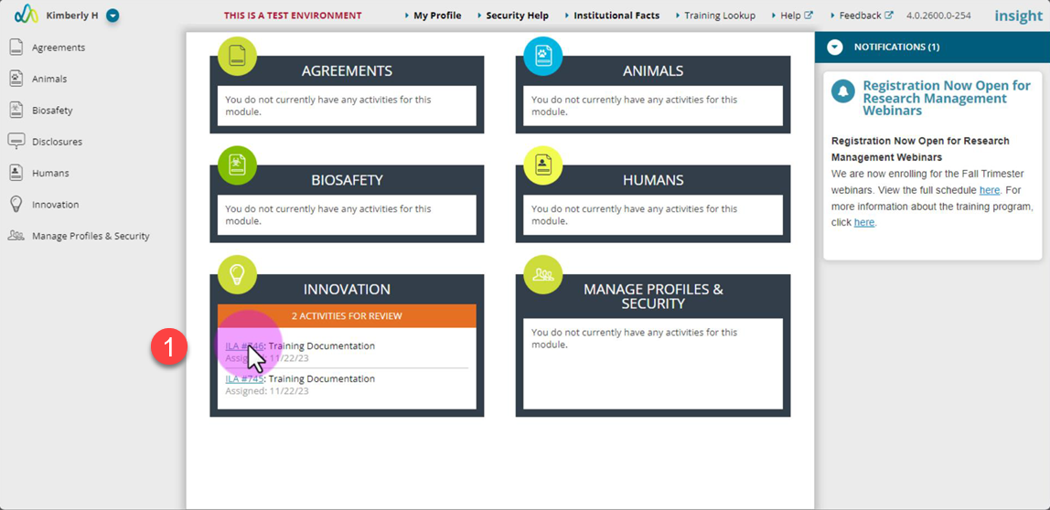
- Open the action via the link in your email or the action on the Insight landing page.
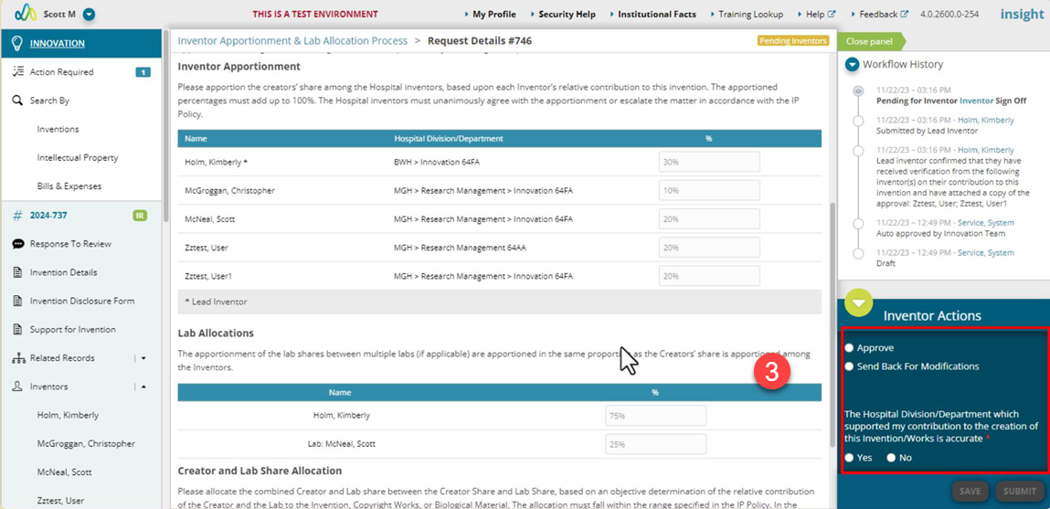
- Review assigned apportionments and allocations.
- The inventors must unanimously agree with the apportionments.
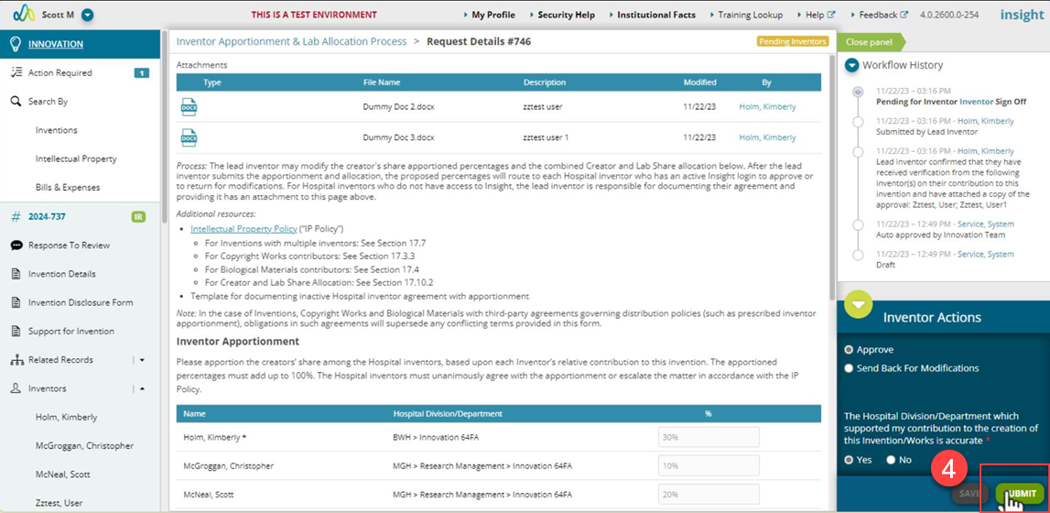
- If you agree with the selections, select the “Approve” option. You’ll be asked to confirm your department/center listed on the invention. By answering No, you are confirming that updates are needed and the Innovation team will follow-up with you regarding this.
- If you do not agree with the apportionments, select the “Send Back for Modifications” option and enter comments.
- Once ready, click the “Submit” button.
- This will complete your step in the process. If you chose to send the action back for modifications, it will be returned to the MGB PI to review comments and make adjustments or escalate the dispute to the department and center chiefs. You may be asked to take action again once submitted.