
September 18, 2026
The IRB, IACUC and IBC offices may need to add access for a user who is going to serve in as a workflow reviewer for one or more hospitals. As keygivers for your modules you now can assign this security for users.
Steps
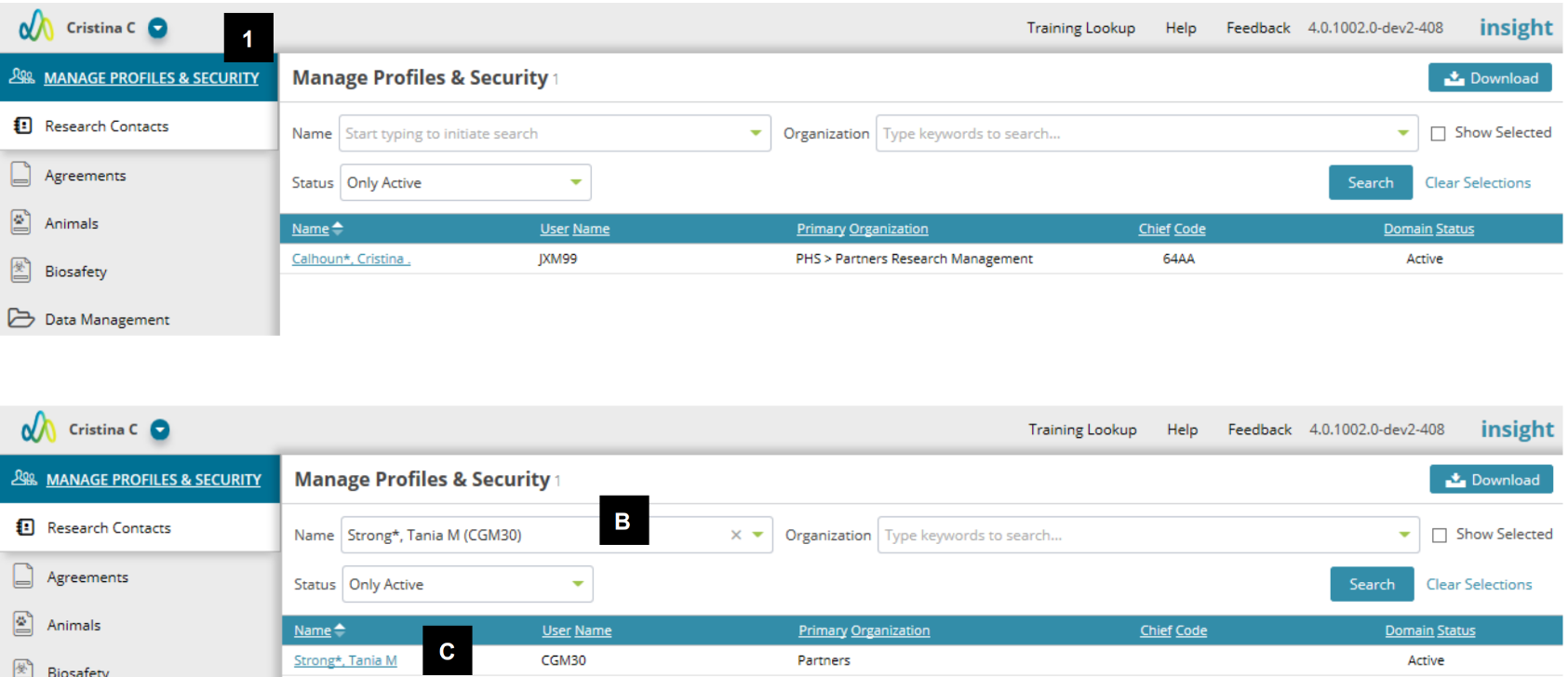
1. Go to the Manage Profiles & Security module.
2. Locate the user
a. The search will default to the user logged in.
b. Use the name field to enter “last name, first name” or NT login to locate the user you need to review/update.
c. Click Search.
d. When results are returned, click on the user’s name to open their profile.
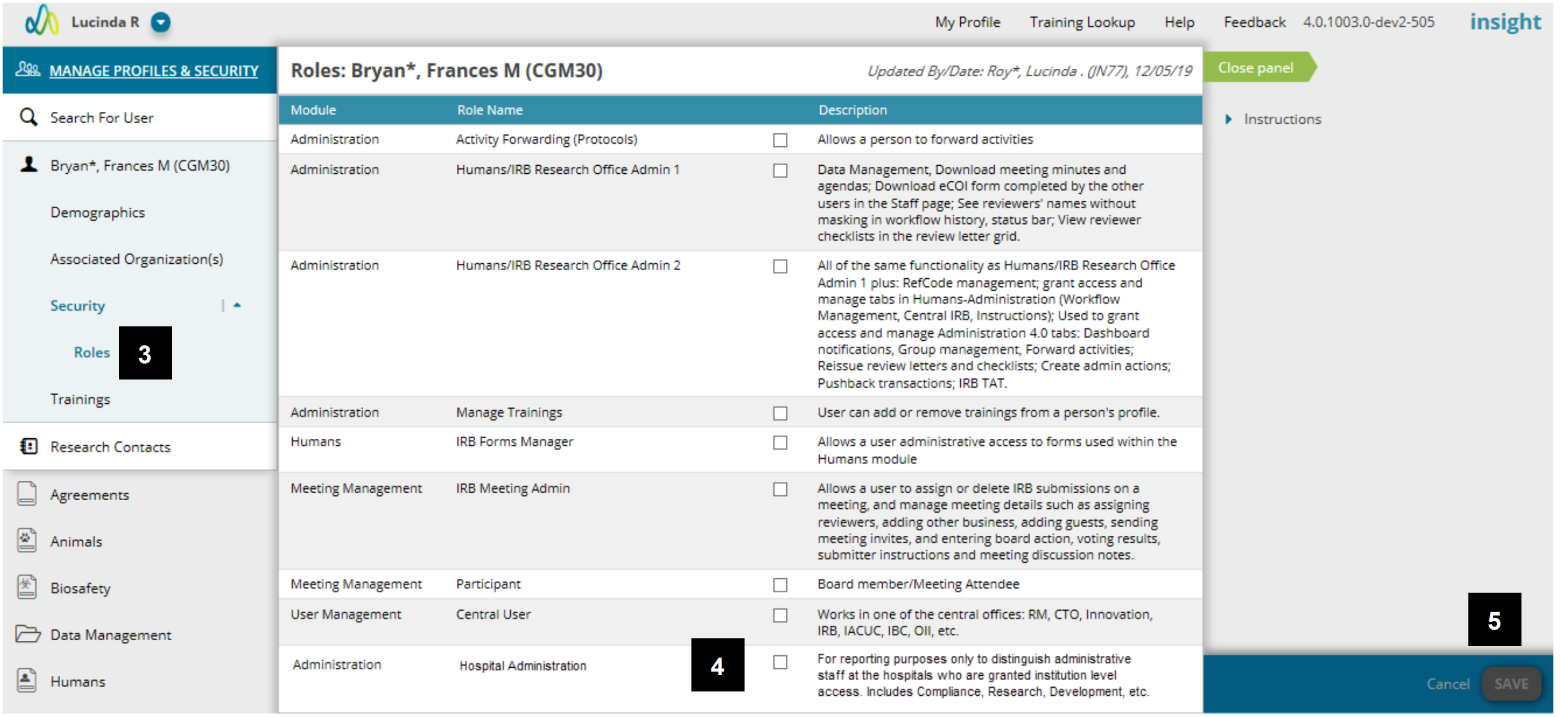
3. Click the Roles page under Security.
4. Select the “Hospital Administrator” role under Meetings Management.
5. Click Save.
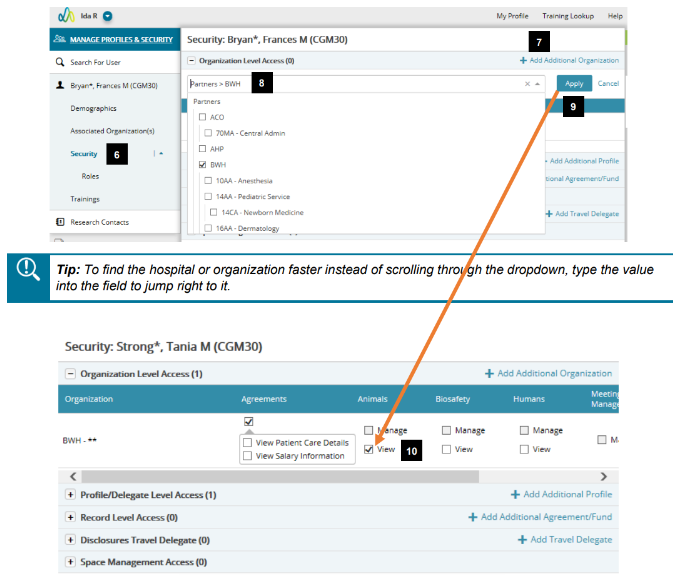
6. Go to the Security page.
7. To add a hospital or specific chief code, click “Add Additional Organization”.
8. Select the organization(s) to add. By selecting at the hospital level, you will be granting access to all chief codes at the hospital for the user.
9. Click the “Apply” button.
10. Select the appropriate attributes for the organization.
11. Click “Save” when complete.
Additional Guides